Saturday, September 19, 2009

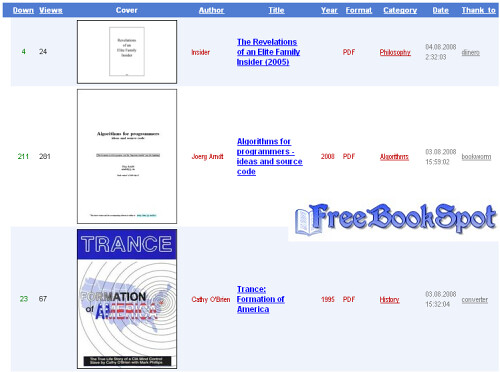
20 Best Websites to Download Free E-Books

1) http://www.freebookspot.com/

2)http://4ebooks.org/

3)http://www.free-ebooks.net/

4)http://manybooks.net/

5) http://www.getfreeebooks.com/

6)http://freecomputerbooks.com/

7) http://www.freetechbooks.com/

8) http://www.scribd.com/

9) http://www.globusz.com/

10) http://knowfree.net/

11) http://www.onlinefreeebooks.net/

12) http://www.memoware.com/

13) http://www.zillr.org/

14) ttp://www.onlinecomputerbooks.com/

15) http://www.snipfiles.com/

16) http://www.bookyards.com/

17) http://digital.library.upenn.edu/books/

18) http://digital.library.upenn.edu/books/

19) http://www.asksam.com/ebooks/

20) http://www.baen.com/library/

21) http://www.ebooklobby.com/

20 Best Websites to Download Free E-Books

1) http://www.freebookspot.com/

2)http://4ebooks.org/

3)http://www.free-ebooks.net/

4)http://manybooks.net/

5) http://www.getfreeebooks.com/

6)http://freecomputerbooks.com/

7) http://www.freetechbooks.com/

8) http://www.scribd.com/

9) http://www.globusz.com/

10) http://knowfree.net/

11) http://www.onlinefreeebooks.net/

12) http://www.memoware.com/

13) http://www.zillr.org/

14) ttp://www.onlinecomputerbooks.com/

15) http://www.snipfiles.com/

16) http://www.bookyards.com/

17) http://digital.library.upenn.edu/books/

18) http://digital.library.upenn.edu/books/

19) http://www.asksam.com/ebooks/

20) http://www.baen.com/library/

21) http://www.ebooklobby.com/

Monday, September 14, 2009

W3schools Offline Pages


Download: Click Here

W3schools Offline Pages


Download: Click Here

Tuesday, September 8, 2009

Tips to Improve Email Privacy

Many websites ask for your email address when you shop online, download a free software etc. But do you know that this has a chance of affecting your email privacy through Spam emails?

Though most websites don’t use spamming as an email marketing strategy, there are a few that use junk emails that don’t care about anti-Spam laws. Here are some tips to maintain your email privacy from such threats.
Before submitting your email address you need to check the reputation of the company. Reputed websites would normally follow the right email practices to ensure your email privacy. Such companies will never want to loose their hard earned reputation by getting blammed for spamming.

See whether the websites provides email privacy statements. You need to go through these statement in detail, and know about the kind of emails that will be sent to you, how often etc. Based on this you can decide on whether you need such emails. You don’t want to give your email address to some fraud company that is thinking about handing over your email address to hundreds of other websites.

Finally, check whether the website really respects your privacy. Often you will find some text like “I agree to receive email” that comes with a check box. You can agree to receive emails by checking the check box. If the check box is already checked, it is just a good indication that the website doesn’t respect your privacy. So watch out!

Tips to Improve Email Privacy

Many websites ask for your email address when you shop online, download a free software etc. But do you know that this has a chance of affecting your email privacy through Spam emails?

Though most websites don’t use spamming as an email marketing strategy, there are a few that use junk emails that don’t care about anti-Spam laws. Here are some tips to maintain your email privacy from such threats.
Before submitting your email address you need to check the reputation of the company. Reputed websites would normally follow the right email practices to ensure your email privacy. Such companies will never want to loose their hard earned reputation by getting blammed for spamming.

See whether the websites provides email privacy statements. You need to go through these statement in detail, and know about the kind of emails that will be sent to you, how often etc. Based on this you can decide on whether you need such emails. You don’t want to give your email address to some fraud company that is thinking about handing over your email address to hundreds of other websites.

Finally, check whether the website really respects your privacy. Often you will find some text like “I agree to receive email” that comes with a check box. You can agree to receive emails by checking the check box. If the check box is already checked, it is just a good indication that the website doesn’t respect your privacy. So watch out!

How to Protect an Email Account from SPAM

What is SPAM?

Spam is the abuse of electronic messaging systems (including most broadcast media, digital delivery systems) to send unsolicited bulk messages indiscriminately. Most widely recognized form of spam is email spam.

Where do these SPAM come from?

These spam come only from spammers and never from a legitimate user or a company. These spammers send a single email to hundreds (some times thousands or millions) of email addresses at a time. They either send it manually or use spambots to automate the process of spamming.

Why do spammers SPAM?


The main goal of spammers is to send the spam (unsolicited bulk messages) to as many people as possible in order to make profit. For example, John builds a small website to sell an ebook which gives information about weight loss. In order to make sales he needs publicity for his website. Instead of spending money on advertising, John decides to create an email which contains information about his site along with it’s link and send this email to say 100 email addresses in his contact list. If 1 person out of hundred buy this book john gets $10. What if he sends this email to 1000s of email addresses. He gets $100. Imagine, if he sends this email to 1 Million email addresses he gets $100000.

Now I hope you understood the idea behind spamming. So in order to make money, spammers send their advertising emails to as many people as possible without respecting the recipient’s privacy.

From where do SPAMmers get my email address?

On the Internet there exists many sites who collect the email IDs of people and sell them to spammers in bulk. Most often, people sign up for monthly newsletters and take up surveys. This is the time where these scam sites get their email addresses. Also many spammers collect email addresses by using spambots. These spambots collect email addresses from the Internet in order to build mailing lists. Such spambots are web crawlers that can gather email addresses from Web sites, newsgroups, forums, special-interest group (SIG) postings, and chat-room conversations.

Spammers also use the trick of creating Hoax Emails for gathering a huge list of email IDs. For example, a spammer sends a hoax email which says “Forward this Message to Help Severely Burned Child”. This email claims that 11 cents will be donated to the child’s family every time the message is sent to others. Most of the people believe this and start forwarding this hoax email to all of the IDs in their contact list. In this way the email spreads rapidly and eventually when it reaches the creator (spammer), the spammer gets a huge list of valid email addresses in the email header. When you get these kind of hoax emails, you can see for yourself in the email header which contains a huge list of email addresses of all those people to whom the email is being forwarded to. This is one of the effective methods used by spammers to gather email addresses.

Is SPAMming legal?


Spamming is completely illegal. Yet it is really difficult to stop spammers from spamming since they keep moving from one hosting company to another after getting banned. This makes it practically impossible to catch spammers and prosecute them.

How to protect my email account from getting SPAMmed?

The following methods can be used to combat email spam.

1. Use spam filters for your email account. If you’re using email services like Gmail, Yahoo, Hotmail etc. then spam filters are used by defaut. Each spam filter has it’s algorithm to detect spam emails and will automatically move them to SPAM folder. This keeps your inbox free from spam. However some spam emails become successful to make their way into the inbox by successfully bypassing the filters.

2. Do not post your email address in public forums, user comments and chat-rooms. Give your email address only to trustworthy websites while signing up for newsletters.

3. While taking up online surveys and filling up feedback forms, it is better not to give your personal email address. Instead singup for a dummy email account and use this for surveys and feedback forms.

4. While posting your contact email address on your website use this format: emailaddress [at] yoursite.com instead of emailaddress@yoursite.com. This protects your email address from being indexed by spambots.

5. Do not respond to hoax messages. When you receive a hoax email, avoid forwarding it to your friends. Examples of hoax messages can be found at www.hoax-slayer.com. If you really want to forward it to your friends, make sure that you use “Bcc” (blind certified copy) option to send the email. This will hide all the email IDs to which the mail is forwarded to.

I hope this helps. Pass your suggestions and feedback via comments Source gohacking.
How to Protect an Email Account from SPAM

What is SPAM?

Spam is the abuse of electronic messaging systems (including most broadcast media, digital delivery systems) to send unsolicited bulk messages indiscriminately. Most widely recognized form of spam is email spam.

Where do these SPAM come from?

These spam come only from spammers and never from a legitimate user or a company. These spammers send a single email to hundreds (some times thousands or millions) of email addresses at a time. They either send it manually or use spambots to automate the process of spamming.

Why do spammers SPAM?


The main goal of spammers is to send the spam (unsolicited bulk messages) to as many people as possible in order to make profit. For example, John builds a small website to sell an ebook which gives information about weight loss. In order to make sales he needs publicity for his website. Instead of spending money on advertising, John decides to create an email which contains information about his site along with it’s link and send this email to say 100 email addresses in his contact list. If 1 person out of hundred buy this book john gets $10. What if he sends this email to 1000s of email addresses. He gets $100. Imagine, if he sends this email to 1 Million email addresses he gets $100000.

Now I hope you understood the idea behind spamming. So in order to make money, spammers send their advertising emails to as many people as possible without respecting the recipient’s privacy.

From where do SPAMmers get my email address?

On the Internet there exists many sites who collect the email IDs of people and sell them to spammers in bulk. Most often, people sign up for monthly newsletters and take up surveys. This is the time where these scam sites get their email addresses. Also many spammers collect email addresses by using spambots. These spambots collect email addresses from the Internet in order to build mailing lists. Such spambots are web crawlers that can gather email addresses from Web sites, newsgroups, forums, special-interest group (SIG) postings, and chat-room conversations.

Spammers also use the trick of creating Hoax Emails for gathering a huge list of email IDs. For example, a spammer sends a hoax email which says “Forward this Message to Help Severely Burned Child”. This email claims that 11 cents will be donated to the child’s family every time the message is sent to others. Most of the people believe this and start forwarding this hoax email to all of the IDs in their contact list. In this way the email spreads rapidly and eventually when it reaches the creator (spammer), the spammer gets a huge list of valid email addresses in the email header. When you get these kind of hoax emails, you can see for yourself in the email header which contains a huge list of email addresses of all those people to whom the email is being forwarded to. This is one of the effective methods used by spammers to gather email addresses.

Is SPAMming legal?


Spamming is completely illegal. Yet it is really difficult to stop spammers from spamming since they keep moving from one hosting company to another after getting banned. This makes it practically impossible to catch spammers and prosecute them.

How to protect my email account from getting SPAMmed?

The following methods can be used to combat email spam.

1. Use spam filters for your email account. If you’re using email services like Gmail, Yahoo, Hotmail etc. then spam filters are used by defaut. Each spam filter has it’s algorithm to detect spam emails and will automatically move them to SPAM folder. This keeps your inbox free from spam. However some spam emails become successful to make their way into the inbox by successfully bypassing the filters.

2. Do not post your email address in public forums, user comments and chat-rooms. Give your email address only to trustworthy websites while signing up for newsletters.

3. While taking up online surveys and filling up feedback forms, it is better not to give your personal email address. Instead singup for a dummy email account and use this for surveys and feedback forms.

4. While posting your contact email address on your website use this format: emailaddress [at] yoursite.com instead of emailaddress@yoursite.com. This protects your email address from being indexed by spambots.

5. Do not respond to hoax messages. When you receive a hoax email, avoid forwarding it to your friends. Examples of hoax messages can be found at www.hoax-slayer.com. If you really want to forward it to your friends, make sure that you use “Bcc” (blind certified copy) option to send the email. This will hide all the email IDs to which the mail is forwarded to.

I hope this helps. Pass your suggestions and feedback via comments Source gohacking.

Saturday, September 5, 2009

Live TV on your Computer Screen


Thanks to the constant improvement of broadband connections, watching TV over the internet is now possible. The current trend is to use Peer to Peer (P2P) technology to stream media quickly to consumers. TVU Player allows you to watch major cable channels over the internet, by sharing your bandwidth with other users.


Download Link : Click Here

Live TV on your Computer Screen


Thanks to the constant improvement of broadband connections, watching TV over the internet is now possible. The current trend is to use Peer to Peer (P2P) technology to stream media quickly to consumers. TVU Player allows you to watch major cable channels over the internet, by sharing your bandwidth with other users.


Download Link : Click Here