Step 1>Create a folder anywhere in your PC e.g. C:\newfolder and keep all the files you want to hide as well as the jpg image you will use to keep that files in.
Step 2> Just select all the files you want to hide,and by right clicking on them select the option of add them to a compressed ZIP or RAR file.Only compress the files you want to hide,not the jpg image.Lets name it as “Secret.rar”.
you’ll see that there is those files ,the jpg image and a compressed archive named Secret.rar inside the folder newfolder.
hide-files-behind-image
Step 3> Now i will tell you how to make the trick.Click on Start menu, click Run and type “cmd” (without the inverted commas),press enter and you will see the command prompt window has been opened.Type cd\ to get into the root directory and again type cd followed by the folder’s name you want to hide i.e. “cd newfolder”.Now you are inside the directory C:\newfolder>.
Step 4> Suppose the jpg image have name of “Image.jpg”.Type the following line
copy /b Image.jpg + Secret.rar Image.jpg
(Omit the quotes) and press enter.Be sure that the compressed file has the extension of .ZIP or .RAR.As i have heard about some problems people faced while using WinZIP, i recommend you to use WinRAR instead of WinZIP.
That’s all you have to do.Now you have a jpg image with your secret files inside it.If you check the picture size you will see it has been increased by same size that was of the compressed archive.Now you can the delete the .RAR file and the file1 and file2.
Just right click on the file and chose open with WinRar.Then you can see the file you hide behind the picture.Another way to access the hidden file is that just change the extension of the file to .RAR and open the file using WinRar and then extract them.
Tuesday, November 24, 2009


Hide your Secret files behind JPEG image
Step 1>Create a folder anywhere in your PC e.g. C:\newfolder and keep all the files you want to hide as well as the jpg image you will use to keep that files in.
Step 2> Just select all the files you want to hide,and by right clicking on them select the option of add them to a compressed ZIP or RAR file.Only compress the files you want to hide,not the jpg image.Lets name it as “Secret.rar”.
you’ll see that there is those files ,the jpg image and a compressed archive named Secret.rar inside the folder newfolder.
hide-files-behind-image
Step 3> Now i will tell you how to make the trick.Click on Start menu, click Run and type “cmd” (without the inverted commas),press enter and you will see the command prompt window has been opened.Type cd\ to get into the root directory and again type cd followed by the folder’s name you want to hide i.e. “cd newfolder”.Now you are inside the directory C:\newfolder>.
Step 4> Suppose the jpg image have name of “Image.jpg”.Type the following line
copy /b Image.jpg + Secret.rar Image.jpg
(Omit the quotes) and press enter.Be sure that the compressed file has the extension of .ZIP or .RAR.As i have heard about some problems people faced while using WinZIP, i recommend you to use WinRAR instead of WinZIP.
That’s all you have to do.Now you have a jpg image with your secret files inside it.If you check the picture size you will see it has been increased by same size that was of the compressed archive.Now you can the delete the .RAR file and the file1 and file2.
Just right click on the file and chose open with WinRar.Then you can see the file you hide behind the picture.Another way to access the hidden file is that just change the extension of the file to .RAR and open the file using WinRar and then extract them.
Step 2> Just select all the files you want to hide,and by right clicking on them select the option of add them to a compressed ZIP or RAR file.Only compress the files you want to hide,not the jpg image.Lets name it as “Secret.rar”.
you’ll see that there is those files ,the jpg image and a compressed archive named Secret.rar inside the folder newfolder.
hide-files-behind-image
Step 3> Now i will tell you how to make the trick.Click on Start menu, click Run and type “cmd” (without the inverted commas),press enter and you will see the command prompt window has been opened.Type cd\ to get into the root directory and again type cd followed by the folder’s name you want to hide i.e. “cd newfolder”.Now you are inside the directory C:\newfolder>.
Step 4> Suppose the jpg image have name of “Image.jpg”.Type the following line
copy /b Image.jpg + Secret.rar Image.jpg
(Omit the quotes) and press enter.Be sure that the compressed file has the extension of .ZIP or .RAR.As i have heard about some problems people faced while using WinZIP, i recommend you to use WinRAR instead of WinZIP.
That’s all you have to do.Now you have a jpg image with your secret files inside it.If you check the picture size you will see it has been increased by same size that was of the compressed archive.Now you can the delete the .RAR file and the file1 and file2.
Just right click on the file and chose open with WinRar.Then you can see the file you hide behind the picture.Another way to access the hidden file is that just change the extension of the file to .RAR and open the file using WinRar and then extract them.
Monday, November 23, 2009
Windows XP command prompt
An A-Z Commands:
a ADDUSERS Add or list users to/from a CSV file
ARP Address Resolution Protocol
ASSOC Change file extension associations•
ASSOCIAT One step file association
ATTRIB Change file attributes
b
BOOTCFG Edit Windows boot settings
BROWSTAT Get domain, browser and PDC info
c
CACLS Change file permissions
CALL Call one batch program from another•
CD Change Directory - move to a specific Folder•
CHANGE Change Terminal Server Session properties
CHKDSK Check Disk - check and repair disk problems
CHKNTFS Check the NTFS file system
CHOICE Accept keyboard input to a batch file
CIPHER Encrypt or Decrypt files/folders
CleanMgr Automated cleanup of Temp files, recycle bin
CLEARMEM Clear memory leaks
CLIP Copy STDIN to the Windows clipboard.
CLS Clear the screen•
CLUSTER Windows Clustering
CMD Start a new CMD shell
COLOR Change colors of the CMD window•
COMP Compare the contents of two files or sets of files
COMPACT Compress files or folders on an NTFS partition
COMPRESS Compress individual files on an NTFS partition
CON2PRT Connect or disconnect a Printer
CONVERT Convert a FAT drive to NTFS.
COPY Copy one or more files to another location•
CSCcmd Client-side caching (Offline Files)
CSVDE Import or Export Active Directory data
d
DATE Display or set the date•
DEFRAG Defragment hard drive
DEL Delete one or more files•
DELPROF Delete NT user profiles
DELTREE Delete a folder and all subfolders
DevCon Device Manager Command Line Utility
DIR Display a list of files and folders•
DIRUSE Display disk usage
DISKCOMP Compare the contents of two floppy disks
DISKCOPY Copy the contents of one floppy disk to another
DISKPART Disk Administration
DNSSTAT DNS Statistics
DOSKEY Edit command line, recall commands, and create macros
DSADD Add user (computer, group..) to active directory
DSQUERY List items in active directory
DSMOD Modify user (computer, group..) in active directory
DSRM Remove items from Active Directory
e
ECHO Display message on screen•
ENDLOCAL End localisation of environment changes in a batch file•
ERASE Delete one or more files•
EVENTCREATE Add a message to the Windows event log
EXIT Quit the current script/routine and set an errorlevel•
EXPAND Uncompress files
EXTRACT Uncompress CAB files
f
FC Compare two files
FIND Search for a text string in a file
FINDSTR Search for strings in files
FOR /F Loop command: against a set of files•
FOR /F Loop command: against the results of another command•
FOR Loop command: all options Files, Directory, List•
FORFILES Batch process multiple files
FORMAT Format a disk
FREEDISK Check free disk space (in bytes)
FSUTIL File and Volume utilities
FTP File Transfer Protocol
FTYPE Display or modify file types used in file extension associations•
g
GLOBAL Display membership of global groups
GOTO Direct a batch program to jump to a labelled line•
GPUPDATE Update Group Policy settings
h
HELP Online Help
i
iCACLS Change file and folder permissions
IF Conditionally perform a command•
IFMEMBER Is the current user in an NT Workgroup
IPCONFIG Configure IP
k
KILL Remove a program from memory
l
LABEL Edit a disk label
LOCAL Display membership of local groups
LOGEVENT Write text to the NT event viewer
LOGOFF Log a user off
LOGTIME Log the date and time in a file
m
MAPISEND Send email from the command line
MBSAcli Baseline Security Analyzer.
MEM Display memory usage
MD Create new folders•
MKLINK Create a symbolic link (linkd)
MODE Configure a system device
MORE Display output, one screen at a time
MOUNTVOL Manage a volume mount point
MOVE Move files from one folder to another•
MOVEUSER Move a user from one domain to another
MSG Send a message
MSIEXEC Microsoft Windows Installer
MSINFO Windows NT diagnostics
MSTSC Terminal Server Connection (Remote Desktop Protocol)
MUNGE Find and Replace text within file(s)
MV Copy in-use files
n
NET Manage network resources
NETDOM Domain Manager
NETSH Configure Network Interfaces, Windows Firewall & Remote access
NETSVC Command-line Service Controller
NBTSTAT Display networking statistics (NetBIOS over TCP/IP)
NETSTAT Display networking statistics (TCP/IP)
NOW Display the current Date and Time
NSLOOKUP Name server lookup
NTBACKUP Backup folders to tape
NTRIGHTS Edit user account rights
p
PATH Display or set a search path for executable files•
PATHPING Trace route plus network latency and packet loss
PAUSE Suspend processing of a batch file and display a message•
PERMS Show permissions for a user
PERFMON Performance Monitor
PING Test a network connection
POPD Restore the previous value of the current directory saved by PUSHD•
PORTQRY Display the status of ports and services
POWERCFG Configure power settings
PRINT Print a text file
PRNCNFG Display, configure or rename a printer
PRNMNGR Add, delete, list printers set the default printer
PROMPT Change the command prompt•
PsExec Execute process remotely
PsFile Show files opened remotely
PsGetSid Display the SID of a computer or a user
PsInfo List information about a system
PsKill Kill processes by name or process ID
PsList List detailed information about processes
PsLoggedOn Who's logged on (locally or via resource sharing)
PsLogList Event log records
PsPasswd Change account password
PsService View and control services
PsShutdown Shutdown or reboot a computer
PsSuspend Suspend processes
PUSHD Save and then change the current directory•
q
QGREP Search file(s) for lines that match a given pattern.
r
RASDIAL Manage RAS connections
RASPHONE Manage RAS connections
RECOVER Recover a damaged file from a defective disk.
REG Registry: Read, Set, Export, Delete keys and values
REGEDIT Import or export registry settings
REGSVR32 Register or unregister a DLL
REGINI Change Registry Permissions
REM Record comments (remarks) in a batch file•
REN Rename a file or files•
REPLACE Replace or update one file with another
RD Delete folder(s)•
RMTSHARE Share a folder or a printer
ROBOCOPY Robust File and Folder Copy
ROUTE Manipulate network routing tables
RUNAS Execute a program under a different user account
RUNDLL32 Run a DLL command (add/remove print connections)
s
SC Service Control
SCHTASKS Schedule a command to run at a specific time
SCLIST Display NT Services
SET Display, set, or remove environment variables•
SETLOCAL Control the visibility of environment variables•
SETX Set environment variables permanently
SHARE List or edit a file share or print share
SHIFT Shift the position of replaceable parameters in a batch file•
SHORTCUT Create a windows shortcut (.LNK file)
SHOWGRPS List the NT Workgroups a user has joined
SHOWMBRS List the Users who are members of a Workgroup
SHUTDOWN Shutdown the computer
SLEEP Wait for x seconds
SLMGR Software Licensing Management (Vista/2008)
SOON Schedule a command to run in the near future
SORT Sort input
START Start a program or command in a separate window•
SU Switch User
SUBINACL Edit file and folder Permissions, Ownership and Domain
SUBST Associate a path with a drive letter
SYSTEMINFO List system configuration
t
TASKLIST List running applications and services
TASKKILL Remove a running process from memory
TIME Display or set the system time•
TIMEOUT Delay processing of a batch file
TITLE Set the window title for a CMD.EXE session•
TLIST Task list with full path
TOUCH Change file timestamps
TRACERT Trace route to a remote host
TREE Graphical display of folder structure
TYPE Display the contents of a text file•
u
USRSTAT List domain usernames and last login
v
VER Display version information•
VERIFY Verify that files have been saved•
VOL Display a disk label•
w
WHERE Locate and display files in a directory tree
WHOAMI Output the current UserName and domain
WINDIFF Compare the contents of two files or sets of files
WINMSD Windows system diagnostics
WINMSDP Windows system diagnostics II
WMIC WMI Commands
x
XCACLS Change file and folder permissions
XCOPY Copy files and folders
:: Comment / Remark•
Commands marked • are Internal commands only available within the CMD shell.
All other commands (not marked with •) are external commands which may be used under the CMD shell or directly from START-RUN.
a ADDUSERS Add or list users to/from a CSV file
ARP Address Resolution Protocol
ASSOC Change file extension associations•
ASSOCIAT One step file association
ATTRIB Change file attributes
b
BOOTCFG Edit Windows boot settings
BROWSTAT Get domain, browser and PDC info
c
CACLS Change file permissions
CALL Call one batch program from another•
CD Change Directory - move to a specific Folder•
CHANGE Change Terminal Server Session properties
CHKDSK Check Disk - check and repair disk problems
CHKNTFS Check the NTFS file system
CHOICE Accept keyboard input to a batch file
CIPHER Encrypt or Decrypt files/folders
CleanMgr Automated cleanup of Temp files, recycle bin
CLEARMEM Clear memory leaks
CLIP Copy STDIN to the Windows clipboard.
CLS Clear the screen•
CLUSTER Windows Clustering
CMD Start a new CMD shell
COLOR Change colors of the CMD window•
COMP Compare the contents of two files or sets of files
COMPACT Compress files or folders on an NTFS partition
COMPRESS Compress individual files on an NTFS partition
CON2PRT Connect or disconnect a Printer
CONVERT Convert a FAT drive to NTFS.
COPY Copy one or more files to another location•
CSCcmd Client-side caching (Offline Files)
CSVDE Import or Export Active Directory data
d
DATE Display or set the date•
DEFRAG Defragment hard drive
DEL Delete one or more files•
DELPROF Delete NT user profiles
DELTREE Delete a folder and all subfolders
DevCon Device Manager Command Line Utility
DIR Display a list of files and folders•
DIRUSE Display disk usage
DISKCOMP Compare the contents of two floppy disks
DISKCOPY Copy the contents of one floppy disk to another
DISKPART Disk Administration
DNSSTAT DNS Statistics
DOSKEY Edit command line, recall commands, and create macros
DSADD Add user (computer, group..) to active directory
DSQUERY List items in active directory
DSMOD Modify user (computer, group..) in active directory
DSRM Remove items from Active Directory
e
ECHO Display message on screen•
ENDLOCAL End localisation of environment changes in a batch file•
ERASE Delete one or more files•
EVENTCREATE Add a message to the Windows event log
EXIT Quit the current script/routine and set an errorlevel•
EXPAND Uncompress files
EXTRACT Uncompress CAB files
f
FC Compare two files
FIND Search for a text string in a file
FINDSTR Search for strings in files
FOR /F Loop command: against a set of files•
FOR /F Loop command: against the results of another command•
FOR Loop command: all options Files, Directory, List•
FORFILES Batch process multiple files
FORMAT Format a disk
FREEDISK Check free disk space (in bytes)
FSUTIL File and Volume utilities
FTP File Transfer Protocol
FTYPE Display or modify file types used in file extension associations•
g
GLOBAL Display membership of global groups
GOTO Direct a batch program to jump to a labelled line•
GPUPDATE Update Group Policy settings
h
HELP Online Help
i
iCACLS Change file and folder permissions
IF Conditionally perform a command•
IFMEMBER Is the current user in an NT Workgroup
IPCONFIG Configure IP
k
KILL Remove a program from memory
l
LABEL Edit a disk label
LOCAL Display membership of local groups
LOGEVENT Write text to the NT event viewer
LOGOFF Log a user off
LOGTIME Log the date and time in a file
m
MAPISEND Send email from the command line
MBSAcli Baseline Security Analyzer.
MEM Display memory usage
MD Create new folders•
MKLINK Create a symbolic link (linkd)
MODE Configure a system device
MORE Display output, one screen at a time
MOUNTVOL Manage a volume mount point
MOVE Move files from one folder to another•
MOVEUSER Move a user from one domain to another
MSG Send a message
MSIEXEC Microsoft Windows Installer
MSINFO Windows NT diagnostics
MSTSC Terminal Server Connection (Remote Desktop Protocol)
MUNGE Find and Replace text within file(s)
MV Copy in-use files
n
NET Manage network resources
NETDOM Domain Manager
NETSH Configure Network Interfaces, Windows Firewall & Remote access
NETSVC Command-line Service Controller
NBTSTAT Display networking statistics (NetBIOS over TCP/IP)
NETSTAT Display networking statistics (TCP/IP)
NOW Display the current Date and Time
NSLOOKUP Name server lookup
NTBACKUP Backup folders to tape
NTRIGHTS Edit user account rights
p
PATH Display or set a search path for executable files•
PATHPING Trace route plus network latency and packet loss
PAUSE Suspend processing of a batch file and display a message•
PERMS Show permissions for a user
PERFMON Performance Monitor
PING Test a network connection
POPD Restore the previous value of the current directory saved by PUSHD•
PORTQRY Display the status of ports and services
POWERCFG Configure power settings
PRINT Print a text file
PRNCNFG Display, configure or rename a printer
PRNMNGR Add, delete, list printers set the default printer
PROMPT Change the command prompt•
PsExec Execute process remotely
PsFile Show files opened remotely
PsGetSid Display the SID of a computer or a user
PsInfo List information about a system
PsKill Kill processes by name or process ID
PsList List detailed information about processes
PsLoggedOn Who's logged on (locally or via resource sharing)
PsLogList Event log records
PsPasswd Change account password
PsService View and control services
PsShutdown Shutdown or reboot a computer
PsSuspend Suspend processes
PUSHD Save and then change the current directory•
q
QGREP Search file(s) for lines that match a given pattern.
r
RASDIAL Manage RAS connections
RASPHONE Manage RAS connections
RECOVER Recover a damaged file from a defective disk.
REG Registry: Read, Set, Export, Delete keys and values
REGEDIT Import or export registry settings
REGSVR32 Register or unregister a DLL
REGINI Change Registry Permissions
REM Record comments (remarks) in a batch file•
REN Rename a file or files•
REPLACE Replace or update one file with another
RD Delete folder(s)•
RMTSHARE Share a folder or a printer
ROBOCOPY Robust File and Folder Copy
ROUTE Manipulate network routing tables
RUNAS Execute a program under a different user account
RUNDLL32 Run a DLL command (add/remove print connections)
s
SC Service Control
SCHTASKS Schedule a command to run at a specific time
SCLIST Display NT Services
SET Display, set, or remove environment variables•
SETLOCAL Control the visibility of environment variables•
SETX Set environment variables permanently
SHARE List or edit a file share or print share
SHIFT Shift the position of replaceable parameters in a batch file•
SHORTCUT Create a windows shortcut (.LNK file)
SHOWGRPS List the NT Workgroups a user has joined
SHOWMBRS List the Users who are members of a Workgroup
SHUTDOWN Shutdown the computer
SLEEP Wait for x seconds
SLMGR Software Licensing Management (Vista/2008)
SOON Schedule a command to run in the near future
SORT Sort input
START Start a program or command in a separate window•
SU Switch User
SUBINACL Edit file and folder Permissions, Ownership and Domain
SUBST Associate a path with a drive letter
SYSTEMINFO List system configuration
t
TASKLIST List running applications and services
TASKKILL Remove a running process from memory
TIME Display or set the system time•
TIMEOUT Delay processing of a batch file
TITLE Set the window title for a CMD.EXE session•
TLIST Task list with full path
TOUCH Change file timestamps
TRACERT Trace route to a remote host
TREE Graphical display of folder structure
TYPE Display the contents of a text file•
u
USRSTAT List domain usernames and last login
v
VER Display version information•
VERIFY Verify that files have been saved•
VOL Display a disk label•
w
WHERE Locate and display files in a directory tree
WHOAMI Output the current UserName and domain
WINDIFF Compare the contents of two files or sets of files
WINMSD Windows system diagnostics
WINMSDP Windows system diagnostics II
WMIC WMI Commands
x
XCACLS Change file and folder permissions
XCOPY Copy files and folders
:: Comment / Remark•
Commands marked • are Internal commands only available within the CMD shell.
All other commands (not marked with •) are external commands which may be used under the CMD shell or directly from START-RUN.
Windows XP command prompt
An A-Z Commands:
a ADDUSERS Add or list users to/from a CSV file
ARP Address Resolution Protocol
ASSOC Change file extension associations•
ASSOCIAT One step file association
ATTRIB Change file attributes
b
BOOTCFG Edit Windows boot settings
BROWSTAT Get domain, browser and PDC info
c
CACLS Change file permissions
CALL Call one batch program from another•
CD Change Directory - move to a specific Folder•
CHANGE Change Terminal Server Session properties
CHKDSK Check Disk - check and repair disk problems
CHKNTFS Check the NTFS file system
CHOICE Accept keyboard input to a batch file
CIPHER Encrypt or Decrypt files/folders
CleanMgr Automated cleanup of Temp files, recycle bin
CLEARMEM Clear memory leaks
CLIP Copy STDIN to the Windows clipboard.
CLS Clear the screen•
CLUSTER Windows Clustering
CMD Start a new CMD shell
COLOR Change colors of the CMD window•
COMP Compare the contents of two files or sets of files
COMPACT Compress files or folders on an NTFS partition
COMPRESS Compress individual files on an NTFS partition
CON2PRT Connect or disconnect a Printer
CONVERT Convert a FAT drive to NTFS.
COPY Copy one or more files to another location•
CSCcmd Client-side caching (Offline Files)
CSVDE Import or Export Active Directory data
d
DATE Display or set the date•
DEFRAG Defragment hard drive
DEL Delete one or more files•
DELPROF Delete NT user profiles
DELTREE Delete a folder and all subfolders
DevCon Device Manager Command Line Utility
DIR Display a list of files and folders•
DIRUSE Display disk usage
DISKCOMP Compare the contents of two floppy disks
DISKCOPY Copy the contents of one floppy disk to another
DISKPART Disk Administration
DNSSTAT DNS Statistics
DOSKEY Edit command line, recall commands, and create macros
DSADD Add user (computer, group..) to active directory
DSQUERY List items in active directory
DSMOD Modify user (computer, group..) in active directory
DSRM Remove items from Active Directory
e
ECHO Display message on screen•
ENDLOCAL End localisation of environment changes in a batch file•
ERASE Delete one or more files•
EVENTCREATE Add a message to the Windows event log
EXIT Quit the current script/routine and set an errorlevel•
EXPAND Uncompress files
EXTRACT Uncompress CAB files
f
FC Compare two files
FIND Search for a text string in a file
FINDSTR Search for strings in files
FOR /F Loop command: against a set of files•
FOR /F Loop command: against the results of another command•
FOR Loop command: all options Files, Directory, List•
FORFILES Batch process multiple files
FORMAT Format a disk
FREEDISK Check free disk space (in bytes)
FSUTIL File and Volume utilities
FTP File Transfer Protocol
FTYPE Display or modify file types used in file extension associations•
g
GLOBAL Display membership of global groups
GOTO Direct a batch program to jump to a labelled line•
GPUPDATE Update Group Policy settings
h
HELP Online Help
i
iCACLS Change file and folder permissions
IF Conditionally perform a command•
IFMEMBER Is the current user in an NT Workgroup
IPCONFIG Configure IP
k
KILL Remove a program from memory
l
LABEL Edit a disk label
LOCAL Display membership of local groups
LOGEVENT Write text to the NT event viewer
LOGOFF Log a user off
LOGTIME Log the date and time in a file
m
MAPISEND Send email from the command line
MBSAcli Baseline Security Analyzer.
MEM Display memory usage
MD Create new folders•
MKLINK Create a symbolic link (linkd)
MODE Configure a system device
MORE Display output, one screen at a time
MOUNTVOL Manage a volume mount point
MOVE Move files from one folder to another•
MOVEUSER Move a user from one domain to another
MSG Send a message
MSIEXEC Microsoft Windows Installer
MSINFO Windows NT diagnostics
MSTSC Terminal Server Connection (Remote Desktop Protocol)
MUNGE Find and Replace text within file(s)
MV Copy in-use files
n
NET Manage network resources
NETDOM Domain Manager
NETSH Configure Network Interfaces, Windows Firewall & Remote access
NETSVC Command-line Service Controller
NBTSTAT Display networking statistics (NetBIOS over TCP/IP)
NETSTAT Display networking statistics (TCP/IP)
NOW Display the current Date and Time
NSLOOKUP Name server lookup
NTBACKUP Backup folders to tape
NTRIGHTS Edit user account rights
p
PATH Display or set a search path for executable files•
PATHPING Trace route plus network latency and packet loss
PAUSE Suspend processing of a batch file and display a message•
PERMS Show permissions for a user
PERFMON Performance Monitor
PING Test a network connection
POPD Restore the previous value of the current directory saved by PUSHD•
PORTQRY Display the status of ports and services
POWERCFG Configure power settings
PRINT Print a text file
PRNCNFG Display, configure or rename a printer
PRNMNGR Add, delete, list printers set the default printer
PROMPT Change the command prompt•
PsExec Execute process remotely
PsFile Show files opened remotely
PsGetSid Display the SID of a computer or a user
PsInfo List information about a system
PsKill Kill processes by name or process ID
PsList List detailed information about processes
PsLoggedOn Who's logged on (locally or via resource sharing)
PsLogList Event log records
PsPasswd Change account password
PsService View and control services
PsShutdown Shutdown or reboot a computer
PsSuspend Suspend processes
PUSHD Save and then change the current directory•
q
QGREP Search file(s) for lines that match a given pattern.
r
RASDIAL Manage RAS connections
RASPHONE Manage RAS connections
RECOVER Recover a damaged file from a defective disk.
REG Registry: Read, Set, Export, Delete keys and values
REGEDIT Import or export registry settings
REGSVR32 Register or unregister a DLL
REGINI Change Registry Permissions
REM Record comments (remarks) in a batch file•
REN Rename a file or files•
REPLACE Replace or update one file with another
RD Delete folder(s)•
RMTSHARE Share a folder or a printer
ROBOCOPY Robust File and Folder Copy
ROUTE Manipulate network routing tables
RUNAS Execute a program under a different user account
RUNDLL32 Run a DLL command (add/remove print connections)
s
SC Service Control
SCHTASKS Schedule a command to run at a specific time
SCLIST Display NT Services
SET Display, set, or remove environment variables•
SETLOCAL Control the visibility of environment variables•
SETX Set environment variables permanently
SHARE List or edit a file share or print share
SHIFT Shift the position of replaceable parameters in a batch file•
SHORTCUT Create a windows shortcut (.LNK file)
SHOWGRPS List the NT Workgroups a user has joined
SHOWMBRS List the Users who are members of a Workgroup
SHUTDOWN Shutdown the computer
SLEEP Wait for x seconds
SLMGR Software Licensing Management (Vista/2008)
SOON Schedule a command to run in the near future
SORT Sort input
START Start a program or command in a separate window•
SU Switch User
SUBINACL Edit file and folder Permissions, Ownership and Domain
SUBST Associate a path with a drive letter
SYSTEMINFO List system configuration
t
TASKLIST List running applications and services
TASKKILL Remove a running process from memory
TIME Display or set the system time•
TIMEOUT Delay processing of a batch file
TITLE Set the window title for a CMD.EXE session•
TLIST Task list with full path
TOUCH Change file timestamps
TRACERT Trace route to a remote host
TREE Graphical display of folder structure
TYPE Display the contents of a text file•
u
USRSTAT List domain usernames and last login
v
VER Display version information•
VERIFY Verify that files have been saved•
VOL Display a disk label•
w
WHERE Locate and display files in a directory tree
WHOAMI Output the current UserName and domain
WINDIFF Compare the contents of two files or sets of files
WINMSD Windows system diagnostics
WINMSDP Windows system diagnostics II
WMIC WMI Commands
x
XCACLS Change file and folder permissions
XCOPY Copy files and folders
:: Comment / Remark•
Commands marked • are Internal commands only available within the CMD shell.
All other commands (not marked with •) are external commands which may be used under the CMD shell or directly from START-RUN.
a ADDUSERS Add or list users to/from a CSV file
ARP Address Resolution Protocol
ASSOC Change file extension associations•
ASSOCIAT One step file association
ATTRIB Change file attributes
b
BOOTCFG Edit Windows boot settings
BROWSTAT Get domain, browser and PDC info
c
CACLS Change file permissions
CALL Call one batch program from another•
CD Change Directory - move to a specific Folder•
CHANGE Change Terminal Server Session properties
CHKDSK Check Disk - check and repair disk problems
CHKNTFS Check the NTFS file system
CHOICE Accept keyboard input to a batch file
CIPHER Encrypt or Decrypt files/folders
CleanMgr Automated cleanup of Temp files, recycle bin
CLEARMEM Clear memory leaks
CLIP Copy STDIN to the Windows clipboard.
CLS Clear the screen•
CLUSTER Windows Clustering
CMD Start a new CMD shell
COLOR Change colors of the CMD window•
COMP Compare the contents of two files or sets of files
COMPACT Compress files or folders on an NTFS partition
COMPRESS Compress individual files on an NTFS partition
CON2PRT Connect or disconnect a Printer
CONVERT Convert a FAT drive to NTFS.
COPY Copy one or more files to another location•
CSCcmd Client-side caching (Offline Files)
CSVDE Import or Export Active Directory data
d
DATE Display or set the date•
DEFRAG Defragment hard drive
DEL Delete one or more files•
DELPROF Delete NT user profiles
DELTREE Delete a folder and all subfolders
DevCon Device Manager Command Line Utility
DIR Display a list of files and folders•
DIRUSE Display disk usage
DISKCOMP Compare the contents of two floppy disks
DISKCOPY Copy the contents of one floppy disk to another
DISKPART Disk Administration
DNSSTAT DNS Statistics
DOSKEY Edit command line, recall commands, and create macros
DSADD Add user (computer, group..) to active directory
DSQUERY List items in active directory
DSMOD Modify user (computer, group..) in active directory
DSRM Remove items from Active Directory
e
ECHO Display message on screen•
ENDLOCAL End localisation of environment changes in a batch file•
ERASE Delete one or more files•
EVENTCREATE Add a message to the Windows event log
EXIT Quit the current script/routine and set an errorlevel•
EXPAND Uncompress files
EXTRACT Uncompress CAB files
f
FC Compare two files
FIND Search for a text string in a file
FINDSTR Search for strings in files
FOR /F Loop command: against a set of files•
FOR /F Loop command: against the results of another command•
FOR Loop command: all options Files, Directory, List•
FORFILES Batch process multiple files
FORMAT Format a disk
FREEDISK Check free disk space (in bytes)
FSUTIL File and Volume utilities
FTP File Transfer Protocol
FTYPE Display or modify file types used in file extension associations•
g
GLOBAL Display membership of global groups
GOTO Direct a batch program to jump to a labelled line•
GPUPDATE Update Group Policy settings
h
HELP Online Help
i
iCACLS Change file and folder permissions
IF Conditionally perform a command•
IFMEMBER Is the current user in an NT Workgroup
IPCONFIG Configure IP
k
KILL Remove a program from memory
l
LABEL Edit a disk label
LOCAL Display membership of local groups
LOGEVENT Write text to the NT event viewer
LOGOFF Log a user off
LOGTIME Log the date and time in a file
m
MAPISEND Send email from the command line
MBSAcli Baseline Security Analyzer.
MEM Display memory usage
MD Create new folders•
MKLINK Create a symbolic link (linkd)
MODE Configure a system device
MORE Display output, one screen at a time
MOUNTVOL Manage a volume mount point
MOVE Move files from one folder to another•
MOVEUSER Move a user from one domain to another
MSG Send a message
MSIEXEC Microsoft Windows Installer
MSINFO Windows NT diagnostics
MSTSC Terminal Server Connection (Remote Desktop Protocol)
MUNGE Find and Replace text within file(s)
MV Copy in-use files
n
NET Manage network resources
NETDOM Domain Manager
NETSH Configure Network Interfaces, Windows Firewall & Remote access
NETSVC Command-line Service Controller
NBTSTAT Display networking statistics (NetBIOS over TCP/IP)
NETSTAT Display networking statistics (TCP/IP)
NOW Display the current Date and Time
NSLOOKUP Name server lookup
NTBACKUP Backup folders to tape
NTRIGHTS Edit user account rights
p
PATH Display or set a search path for executable files•
PATHPING Trace route plus network latency and packet loss
PAUSE Suspend processing of a batch file and display a message•
PERMS Show permissions for a user
PERFMON Performance Monitor
PING Test a network connection
POPD Restore the previous value of the current directory saved by PUSHD•
PORTQRY Display the status of ports and services
POWERCFG Configure power settings
PRINT Print a text file
PRNCNFG Display, configure or rename a printer
PRNMNGR Add, delete, list printers set the default printer
PROMPT Change the command prompt•
PsExec Execute process remotely
PsFile Show files opened remotely
PsGetSid Display the SID of a computer or a user
PsInfo List information about a system
PsKill Kill processes by name or process ID
PsList List detailed information about processes
PsLoggedOn Who's logged on (locally or via resource sharing)
PsLogList Event log records
PsPasswd Change account password
PsService View and control services
PsShutdown Shutdown or reboot a computer
PsSuspend Suspend processes
PUSHD Save and then change the current directory•
q
QGREP Search file(s) for lines that match a given pattern.
r
RASDIAL Manage RAS connections
RASPHONE Manage RAS connections
RECOVER Recover a damaged file from a defective disk.
REG Registry: Read, Set, Export, Delete keys and values
REGEDIT Import or export registry settings
REGSVR32 Register or unregister a DLL
REGINI Change Registry Permissions
REM Record comments (remarks) in a batch file•
REN Rename a file or files•
REPLACE Replace or update one file with another
RD Delete folder(s)•
RMTSHARE Share a folder or a printer
ROBOCOPY Robust File and Folder Copy
ROUTE Manipulate network routing tables
RUNAS Execute a program under a different user account
RUNDLL32 Run a DLL command (add/remove print connections)
s
SC Service Control
SCHTASKS Schedule a command to run at a specific time
SCLIST Display NT Services
SET Display, set, or remove environment variables•
SETLOCAL Control the visibility of environment variables•
SETX Set environment variables permanently
SHARE List or edit a file share or print share
SHIFT Shift the position of replaceable parameters in a batch file•
SHORTCUT Create a windows shortcut (.LNK file)
SHOWGRPS List the NT Workgroups a user has joined
SHOWMBRS List the Users who are members of a Workgroup
SHUTDOWN Shutdown the computer
SLEEP Wait for x seconds
SLMGR Software Licensing Management (Vista/2008)
SOON Schedule a command to run in the near future
SORT Sort input
START Start a program or command in a separate window•
SU Switch User
SUBINACL Edit file and folder Permissions, Ownership and Domain
SUBST Associate a path with a drive letter
SYSTEMINFO List system configuration
t
TASKLIST List running applications and services
TASKKILL Remove a running process from memory
TIME Display or set the system time•
TIMEOUT Delay processing of a batch file
TITLE Set the window title for a CMD.EXE session•
TLIST Task list with full path
TOUCH Change file timestamps
TRACERT Trace route to a remote host
TREE Graphical display of folder structure
TYPE Display the contents of a text file•
u
USRSTAT List domain usernames and last login
v
VER Display version information•
VERIFY Verify that files have been saved•
VOL Display a disk label•
w
WHERE Locate and display files in a directory tree
WHOAMI Output the current UserName and domain
WINDIFF Compare the contents of two files or sets of files
WINMSD Windows system diagnostics
WINMSDP Windows system diagnostics II
WMIC WMI Commands
x
XCACLS Change file and folder permissions
XCOPY Copy files and folders
:: Comment / Remark•
Commands marked • are Internal commands only available within the CMD shell.
All other commands (not marked with •) are external commands which may be used under the CMD shell or directly from START-RUN.
Tuesday, October 6, 2009
Focus Photoeditor V6.0.10 portable (14Mb)
Focus Photoeditor is a powerful image editor and photo enhancer software for Windows 95 /98 /NT /2000 /XP. Besides its excellent abilities to correct digital photos, it has many rich tools and effects found just in much more expensive tools.
.
check out the home page: http://www.focusphotoeditor.com/software_focus_photo-editor.htm
.
.
download link: http://rapidshare.com/files/285804515/Focus.Photoeditor.6.0.10.Portable.rar
.
check out the home page: http://www.focusphotoeditor.com/software_focus_photo-editor.htm
.
.
download link: http://rapidshare.com/files/285804515/Focus.Photoeditor.6.0.10.Portable.rar
Focus Photoeditor V6.0.10 portable (14Mb)
Focus Photoeditor is a powerful image editor and photo enhancer software for Windows 95 /98 /NT /2000 /XP. Besides its excellent abilities to correct digital photos, it has many rich tools and effects found just in much more expensive tools.
.
check out the home page: http://www.focusphotoeditor.com/software_focus_photo-editor.htm
.
.
download link: http://rapidshare.com/files/285804515/Focus.Photoeditor.6.0.10.Portable.rar
.
check out the home page: http://www.focusphotoeditor.com/software_focus_photo-editor.htm
.
.
download link: http://rapidshare.com/files/285804515/Focus.Photoeditor.6.0.10.Portable.rar
DesktopArch
Try DesktopArch - Collection of programs to improve the quality of desktop Windows
Collection of programs to improve the quality of desktop Windows-optimal solution at one stroke eliminate all errors on your desktop.
This package is composed of the following programs:
- Desktop Media 1.7
- Everything 1.2.1
- WinSplit Revolution 9.02
- Fences 0.96
- 3RVX 2.5
- allsnap 1.41
- Dexpot 1.4.0
- FileBox eXtender 2.00.4
- FolderMenu 2.7
- Folder Size 2.4
- FreeSnap 1.5.3
- Launchy 2.1.2
- Link Shell Extension
- StandaloneStack 2
- Unlocker 1.8.7
http://uploading.com/files/JXC8IFF7/DesktopArch.rar.html
Collection of programs to improve the quality of desktop Windows-optimal solution at one stroke eliminate all errors on your desktop.
This package is composed of the following programs:
- Desktop Media 1.7
- Everything 1.2.1
- WinSplit Revolution 9.02
- Fences 0.96
- 3RVX 2.5
- allsnap 1.41
- Dexpot 1.4.0
- FileBox eXtender 2.00.4
- FolderMenu 2.7
- Folder Size 2.4
- FreeSnap 1.5.3
- Launchy 2.1.2
- Link Shell Extension
- StandaloneStack 2
- Unlocker 1.8.7
http://uploading.com/files/JXC8IFF7/DesktopArch.rar.html
DesktopArch
Try DesktopArch - Collection of programs to improve the quality of desktop Windows
Collection of programs to improve the quality of desktop Windows-optimal solution at one stroke eliminate all errors on your desktop.
This package is composed of the following programs:
- Desktop Media 1.7
- Everything 1.2.1
- WinSplit Revolution 9.02
- Fences 0.96
- 3RVX 2.5
- allsnap 1.41
- Dexpot 1.4.0
- FileBox eXtender 2.00.4
- FolderMenu 2.7
- Folder Size 2.4
- FreeSnap 1.5.3
- Launchy 2.1.2
- Link Shell Extension
- StandaloneStack 2
- Unlocker 1.8.7
http://uploading.com/files/JXC8IFF7/DesktopArch.rar.html
Collection of programs to improve the quality of desktop Windows-optimal solution at one stroke eliminate all errors on your desktop.
This package is composed of the following programs:
- Desktop Media 1.7
- Everything 1.2.1
- WinSplit Revolution 9.02
- Fences 0.96
- 3RVX 2.5
- allsnap 1.41
- Dexpot 1.4.0
- FileBox eXtender 2.00.4
- FolderMenu 2.7
- Folder Size 2.4
- FreeSnap 1.5.3
- Launchy 2.1.2
- Link Shell Extension
- StandaloneStack 2
- Unlocker 1.8.7
http://uploading.com/files/JXC8IFF7/DesktopArch.rar.html
Systerac XP Tools V4.0 portable (15Mb)
Systerac XP Tools, the only set of tools you will need to keep your system as good as new and perform its efficient tasks with acute speed and accuracy.
This powerful utility with a set of 17 tools will tweak your windows XP for optimized performance, to keep it error free and running as good as new. The tool is engineered with a set of 17 powerful tools expert in performing various optimizing functions like; fixing, speeding up, maintaining, and protecting your PC. The functionalities of the tool comprise; disk defragmentation for a stable hard drive, disk cleaning for quick cleaning of hard disk, disk doctor, memory optimizer, internet booster, Windows tweaker, find all hardware information, registry doctor, registry compactor, registry back-up, privacy protector, problem solver, files and folders shredder, PC accelerator, start-up organizer, uninstaller and start-up shield.
Keep your system at the prime of its condition by keeping it safe, fast, stable, clean and optimized with this reliable tool.
.
.
http://rapidshare.com/files/285816507/Systerac_XP_Tools_Portable.rar
This powerful utility with a set of 17 tools will tweak your windows XP for optimized performance, to keep it error free and running as good as new. The tool is engineered with a set of 17 powerful tools expert in performing various optimizing functions like; fixing, speeding up, maintaining, and protecting your PC. The functionalities of the tool comprise; disk defragmentation for a stable hard drive, disk cleaning for quick cleaning of hard disk, disk doctor, memory optimizer, internet booster, Windows tweaker, find all hardware information, registry doctor, registry compactor, registry back-up, privacy protector, problem solver, files and folders shredder, PC accelerator, start-up organizer, uninstaller and start-up shield.
Keep your system at the prime of its condition by keeping it safe, fast, stable, clean and optimized with this reliable tool.
.
.
http://rapidshare.com/files/285816507/Systerac_XP_Tools_Portable.rar
Systerac XP Tools V4.0 portable (15Mb)
Systerac XP Tools, the only set of tools you will need to keep your system as good as new and perform its efficient tasks with acute speed and accuracy.
This powerful utility with a set of 17 tools will tweak your windows XP for optimized performance, to keep it error free and running as good as new. The tool is engineered with a set of 17 powerful tools expert in performing various optimizing functions like; fixing, speeding up, maintaining, and protecting your PC. The functionalities of the tool comprise; disk defragmentation for a stable hard drive, disk cleaning for quick cleaning of hard disk, disk doctor, memory optimizer, internet booster, Windows tweaker, find all hardware information, registry doctor, registry compactor, registry back-up, privacy protector, problem solver, files and folders shredder, PC accelerator, start-up organizer, uninstaller and start-up shield.
Keep your system at the prime of its condition by keeping it safe, fast, stable, clean and optimized with this reliable tool.
.
.
http://rapidshare.com/files/285816507/Systerac_XP_Tools_Portable.rar
This powerful utility with a set of 17 tools will tweak your windows XP for optimized performance, to keep it error free and running as good as new. The tool is engineered with a set of 17 powerful tools expert in performing various optimizing functions like; fixing, speeding up, maintaining, and protecting your PC. The functionalities of the tool comprise; disk defragmentation for a stable hard drive, disk cleaning for quick cleaning of hard disk, disk doctor, memory optimizer, internet booster, Windows tweaker, find all hardware information, registry doctor, registry compactor, registry back-up, privacy protector, problem solver, files and folders shredder, PC accelerator, start-up organizer, uninstaller and start-up shield.
Keep your system at the prime of its condition by keeping it safe, fast, stable, clean and optimized with this reliable tool.
.
.
http://rapidshare.com/files/285816507/Systerac_XP_Tools_Portable.rar
Saturday, October 3, 2009
Anti-Porn 11.9.3.6
This is a net filter software to protect children from inappropriate web content.
You don't let your kids read just anything, do you? Well, when they surf the Internet, which have not any filter, they can see whatever emerges from it, unless you're there to assign Anti-Porn to company with them as the net filtering software.Anti-Porn - A comprehensive net filter software to protect children from porn web content.
Anti-Porn will filter out adult web sites, which show objects not fit for children, and will even filter out chats when predatory and offensive language is used.Anti-Porn can auto filter out ten thousands of porn web sites and you can also easily add in the web sites which you don't want children to see. Besides, Anti-Porn filters out internet material by blocking some predatory word, and you can predefine special words, then, children can not see any internet material with those words. Anti-Porn can supply the globe standard time, you can set the program to let your kids use internet at certain times on specific days. Anti-Porn keeps a complete log of all web sites visited, filtered out or not, and keeps the track of all material emerged on computer, including files, images, music, and so on. You can have the inventory of your kid's computer history. Anti-Porn has been a net filter for your children.
On the other hand, adults, who with password, can surf internet unlimitedly. Filter out porn web sites - Anti-Porn has blocked thousands of porn web sites and predatory words, and you also can predefine things you don't let kids to see, for example, web site and offensive words.
Limit internet access by day and time - You can easily assign internet access time at certain hours, even on specific day.
Download Link
You don't let your kids read just anything, do you? Well, when they surf the Internet, which have not any filter, they can see whatever emerges from it, unless you're there to assign Anti-Porn to company with them as the net filtering software.Anti-Porn - A comprehensive net filter software to protect children from porn web content.
Anti-Porn will filter out adult web sites, which show objects not fit for children, and will even filter out chats when predatory and offensive language is used.Anti-Porn can auto filter out ten thousands of porn web sites and you can also easily add in the web sites which you don't want children to see. Besides, Anti-Porn filters out internet material by blocking some predatory word, and you can predefine special words, then, children can not see any internet material with those words. Anti-Porn can supply the globe standard time, you can set the program to let your kids use internet at certain times on specific days. Anti-Porn keeps a complete log of all web sites visited, filtered out or not, and keeps the track of all material emerged on computer, including files, images, music, and so on. You can have the inventory of your kid's computer history. Anti-Porn has been a net filter for your children.
On the other hand, adults, who with password, can surf internet unlimitedly. Filter out porn web sites - Anti-Porn has blocked thousands of porn web sites and predatory words, and you also can predefine things you don't let kids to see, for example, web site and offensive words.
Limit internet access by day and time - You can easily assign internet access time at certain hours, even on specific day.
Download Link
Anti-Porn 11.9.3.6
This is a net filter software to protect children from inappropriate web content.
You don't let your kids read just anything, do you? Well, when they surf the Internet, which have not any filter, they can see whatever emerges from it, unless you're there to assign Anti-Porn to company with them as the net filtering software.Anti-Porn - A comprehensive net filter software to protect children from porn web content.
Anti-Porn will filter out adult web sites, which show objects not fit for children, and will even filter out chats when predatory and offensive language is used.Anti-Porn can auto filter out ten thousands of porn web sites and you can also easily add in the web sites which you don't want children to see. Besides, Anti-Porn filters out internet material by blocking some predatory word, and you can predefine special words, then, children can not see any internet material with those words. Anti-Porn can supply the globe standard time, you can set the program to let your kids use internet at certain times on specific days. Anti-Porn keeps a complete log of all web sites visited, filtered out or not, and keeps the track of all material emerged on computer, including files, images, music, and so on. You can have the inventory of your kid's computer history. Anti-Porn has been a net filter for your children.
On the other hand, adults, who with password, can surf internet unlimitedly. Filter out porn web sites - Anti-Porn has blocked thousands of porn web sites and predatory words, and you also can predefine things you don't let kids to see, for example, web site and offensive words.
Limit internet access by day and time - You can easily assign internet access time at certain hours, even on specific day.
Download Link
You don't let your kids read just anything, do you? Well, when they surf the Internet, which have not any filter, they can see whatever emerges from it, unless you're there to assign Anti-Porn to company with them as the net filtering software.Anti-Porn - A comprehensive net filter software to protect children from porn web content.
Anti-Porn will filter out adult web sites, which show objects not fit for children, and will even filter out chats when predatory and offensive language is used.Anti-Porn can auto filter out ten thousands of porn web sites and you can also easily add in the web sites which you don't want children to see. Besides, Anti-Porn filters out internet material by blocking some predatory word, and you can predefine special words, then, children can not see any internet material with those words. Anti-Porn can supply the globe standard time, you can set the program to let your kids use internet at certain times on specific days. Anti-Porn keeps a complete log of all web sites visited, filtered out or not, and keeps the track of all material emerged on computer, including files, images, music, and so on. You can have the inventory of your kid's computer history. Anti-Porn has been a net filter for your children.
On the other hand, adults, who with password, can surf internet unlimitedly. Filter out porn web sites - Anti-Porn has blocked thousands of porn web sites and predatory words, and you also can predefine things you don't let kids to see, for example, web site and offensive words.
Limit internet access by day and time - You can easily assign internet access time at certain hours, even on specific day.
Download Link
Anti Trozan Elite V4.71 portable ( 7 Mb)
Anti Trojan Elite is a malware remover and system security manager. It features a real-time malware firewall for users that can detect trojans or keyloggers that try to infect your PC. It can detect a vast variety of malware such as trojans, worms and keyloggers and has a live update function that keeps it security database up to date.
.
.
http://rapidshare.com/files/285782141/Portable.Anti.Trojan.Elite.v4.71.rar
.
.
http://rapidshare.com/files/285782141/Portable.Anti.Trojan.Elite.v4.71.rar
Anti Trozan Elite V4.71 portable ( 7 Mb)
Anti Trojan Elite is a malware remover and system security manager. It features a real-time malware firewall for users that can detect trojans or keyloggers that try to infect your PC. It can detect a vast variety of malware such as trojans, worms and keyloggers and has a live update function that keeps it security database up to date.
.
.
http://rapidshare.com/files/285782141/Portable.Anti.Trojan.Elite.v4.71.rar
.
.
http://rapidshare.com/files/285782141/Portable.Anti.Trojan.Elite.v4.71.rar
Focus Photoeditor V6.0.10 portable (14Mb)
Focus Photoeditor is a powerful image editor and photo enhancer software for Windows 95 /98 /NT /2000 /XP. Besides its excellent abilities to correct digital photos, it has many rich tools and effects found just in much more expensive tools.
.
check out the home page: http://www.focusphotoeditor.com/software_focus_photo-editor.htm
.
.
download link: http://rapidshare.com/files/285804515/Focus.Photoeditor.6.0.10.Portable.rar
.
check out the home page: http://www.focusphotoeditor.com/software_focus_photo-editor.htm
.
.
download link: http://rapidshare.com/files/285804515/Focus.Photoeditor.6.0.10.Portable.rar
Focus Photoeditor V6.0.10 portable (14Mb)
Focus Photoeditor is a powerful image editor and photo enhancer software for Windows 95 /98 /NT /2000 /XP. Besides its excellent abilities to correct digital photos, it has many rich tools and effects found just in much more expensive tools.
.
check out the home page: http://www.focusphotoeditor.com/software_focus_photo-editor.htm
.
.
download link: http://rapidshare.com/files/285804515/Focus.Photoeditor.6.0.10.Portable.rar
.
check out the home page: http://www.focusphotoeditor.com/software_focus_photo-editor.htm
.
.
download link: http://rapidshare.com/files/285804515/Focus.Photoeditor.6.0.10.Portable.rar
LCG Smart Movie Player 4.15
LCG Smart Movie Player 4.15
SmartMovie is a popular mobile media player from Lonely Cat Games .Lonely cat Games has released an updated version of SmartMovie player , SmartMovie 4.15 .SmartMovie can play DivX ,mpeg4 and Xvid formats with maximum quality. The standard format for playback is AVI ( DivX) . But there are softwares like DivX player that can play this format for free .From version 4.0 , SmartMovie added support for MP4,3GP and FLV . So now you can play Youtube video files (FLV) in SmartMovie player 4.15.
Clcik Here
Download:Click here
************************************************************************************
SmartMovie is a popular mobile media player from Lonely Cat Games .Lonely cat Games has released an updated version of SmartMovie player , SmartMovie 4.15 .SmartMovie can play DivX ,mpeg4 and Xvid formats with maximum quality. The standard format for playback is AVI ( DivX) . But there are softwares like DivX player that can play this format for free .From version 4.0 , SmartMovie added support for MP4,3GP and FLV . So now you can play Youtube video files (FLV) in SmartMovie player 4.15.
Clcik Here
Download:Click here
************************************************************************************
LCG Smart Movie Player 4.15
LCG Smart Movie Player 4.15
SmartMovie is a popular mobile media player from Lonely Cat Games .Lonely cat Games has released an updated version of SmartMovie player , SmartMovie 4.15 .SmartMovie can play DivX ,mpeg4 and Xvid formats with maximum quality. The standard format for playback is AVI ( DivX) . But there are softwares like DivX player that can play this format for free .From version 4.0 , SmartMovie added support for MP4,3GP and FLV . So now you can play Youtube video files (FLV) in SmartMovie player 4.15.
Clcik Here
Download:Click here
************************************************************************************
SmartMovie is a popular mobile media player from Lonely Cat Games .Lonely cat Games has released an updated version of SmartMovie player , SmartMovie 4.15 .SmartMovie can play DivX ,mpeg4 and Xvid formats with maximum quality. The standard format for playback is AVI ( DivX) . But there are softwares like DivX player that can play this format for free .From version 4.0 , SmartMovie added support for MP4,3GP and FLV . So now you can play Youtube video files (FLV) in SmartMovie player 4.15.
Clcik Here
Download:Click here
************************************************************************************
ophcrack
Ophcrack is a free Windows password cracker based on rainbow tables. It is a very efficient implementation of rainbow tables done by the inventors of the method. It comes with a Graphical User Interface and runs on multiple platforms.
Features:
* » Runs on Windows, Linux/Unix, Mac OS X, ...
* » Cracks LM and NTLM hashes.
* » Free tables available for Windows XP and Vista.
* » Brute-force module for simple passwords.
* » Audit mode and CSV export.
* » Real-time graphs to analyze the passwords.
* » LiveCD available to simplify the cracking.
* » Loads hashes from encrypted SAM recovered from a Windows partition, Vista included.
* » Free and open source software (GPL).
Download: Click here
Download Live Cd(Windows Xp) : Click Here
Features:
* » Runs on Windows, Linux/Unix, Mac OS X, ...
* » Cracks LM and NTLM hashes.
* » Free tables available for Windows XP and Vista.
* » Brute-force module for simple passwords.
* » Audit mode and CSV export.
* » Real-time graphs to analyze the passwords.
* » LiveCD available to simplify the cracking.
* » Loads hashes from encrypted SAM recovered from a Windows partition, Vista included.
* » Free and open source software (GPL).
Download: Click here
Download Live Cd(Windows Xp) : Click Here
ophcrack
Ophcrack is a free Windows password cracker based on rainbow tables. It is a very efficient implementation of rainbow tables done by the inventors of the method. It comes with a Graphical User Interface and runs on multiple platforms.
Features:
* » Runs on Windows, Linux/Unix, Mac OS X, ...
* » Cracks LM and NTLM hashes.
* » Free tables available for Windows XP and Vista.
* » Brute-force module for simple passwords.
* » Audit mode and CSV export.
* » Real-time graphs to analyze the passwords.
* » LiveCD available to simplify the cracking.
* » Loads hashes from encrypted SAM recovered from a Windows partition, Vista included.
* » Free and open source software (GPL).
Download: Click here
Download Live Cd(Windows Xp) : Click Here
Features:
* » Runs on Windows, Linux/Unix, Mac OS X, ...
* » Cracks LM and NTLM hashes.
* » Free tables available for Windows XP and Vista.
* » Brute-force module for simple passwords.
* » Audit mode and CSV export.
* » Real-time graphs to analyze the passwords.
* » LiveCD available to simplify the cracking.
* » Loads hashes from encrypted SAM recovered from a Windows partition, Vista included.
* » Free and open source software (GPL).
Download: Click here
Download Live Cd(Windows Xp) : Click Here
Saturday, September 19, 2009
20 Best Websites to Download Free E-Books
1) http://www.freebookspot.com/ 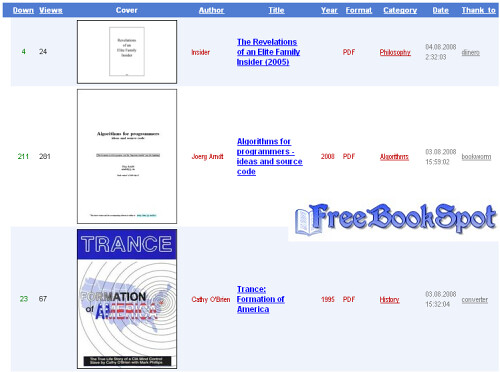
2)http://4ebooks.org/
3)http://www.free-ebooks.net/
4)http://manybooks.net/
5) http://www.getfreeebooks.com/
6)http://freecomputerbooks.com/
7) http://www.freetechbooks.com/
8) http://www.scribd.com/
9) http://www.globusz.com/
10) http://knowfree.net/
11) http://www.onlinefreeebooks.net/
12) http://www.memoware.com/
13) http://www.zillr.org/
14) ttp://www.onlinecomputerbooks.com/
15) http://www.snipfiles.com/
16) http://www.bookyards.com/
17) http://digital.library.upenn.edu/books/
18) http://digital.library.upenn.edu/books/
19) http://www.asksam.com/ebooks/
20) http://www.baen.com/library/
21) http://www.ebooklobby.com/
2)http://4ebooks.org/
3)http://www.free-ebooks.net/
4)http://manybooks.net/
5) http://www.getfreeebooks.com/
6)http://freecomputerbooks.com/
7) http://www.freetechbooks.com/
8) http://www.scribd.com/
9) http://www.globusz.com/
10) http://knowfree.net/
11) http://www.onlinefreeebooks.net/
12) http://www.memoware.com/
13) http://www.zillr.org/
14) ttp://www.onlinecomputerbooks.com/
15) http://www.snipfiles.com/
16) http://www.bookyards.com/
17) http://digital.library.upenn.edu/books/
18) http://digital.library.upenn.edu/books/
19) http://www.asksam.com/ebooks/
20) http://www.baen.com/library/
21) http://www.ebooklobby.com/
20 Best Websites to Download Free E-Books
1) http://www.freebookspot.com/
2)http://4ebooks.org/
3)http://www.free-ebooks.net/
4)http://manybooks.net/
5) http://www.getfreeebooks.com/
6)http://freecomputerbooks.com/
7) http://www.freetechbooks.com/
8) http://www.scribd.com/
9) http://www.globusz.com/
10) http://knowfree.net/
11) http://www.onlinefreeebooks.net/
12) http://www.memoware.com/
13) http://www.zillr.org/
14) ttp://www.onlinecomputerbooks.com/
15) http://www.snipfiles.com/
16) http://www.bookyards.com/
17) http://digital.library.upenn.edu/books/
18) http://digital.library.upenn.edu/books/
19) http://www.asksam.com/ebooks/
20) http://www.baen.com/library/
21) http://www.ebooklobby.com/
2)http://4ebooks.org/
3)http://www.free-ebooks.net/
4)http://manybooks.net/
5) http://www.getfreeebooks.com/
6)http://freecomputerbooks.com/
7) http://www.freetechbooks.com/
8) http://www.scribd.com/
9) http://www.globusz.com/
10) http://knowfree.net/
11) http://www.onlinefreeebooks.net/
12) http://www.memoware.com/
13) http://www.zillr.org/
14) ttp://www.onlinecomputerbooks.com/
15) http://www.snipfiles.com/
16) http://www.bookyards.com/
17) http://digital.library.upenn.edu/books/
18) http://digital.library.upenn.edu/books/
19) http://www.asksam.com/ebooks/
20) http://www.baen.com/library/
21) http://www.ebooklobby.com/
Monday, September 14, 2009

Tuesday, September 8, 2009
Tips to Improve Email Privacy
Many websites ask for your email address when you shop online, download a free software etc. But do you know that this has a chance of affecting your email privacy through Spam emails?
Though most websites don’t use spamming as an email marketing strategy, there are a few that use junk emails that don’t care about anti-Spam laws. Here are some tips to maintain your email privacy from such threats.
Before submitting your email address you need to check the reputation of the company. Reputed websites would normally follow the right email practices to ensure your email privacy. Such companies will never want to loose their hard earned reputation by getting blammed for spamming.
See whether the websites provides email privacy statements. You need to go through these statement in detail, and know about the kind of emails that will be sent to you, how often etc. Based on this you can decide on whether you need such emails. You don’t want to give your email address to some fraud company that is thinking about handing over your email address to hundreds of other websites.
Finally, check whether the website really respects your privacy. Often you will find some text like “I agree to receive email” that comes with a check box. You can agree to receive emails by checking the check box. If the check box is already checked, it is just a good indication that the website doesn’t respect your privacy. So watch out!
Though most websites don’t use spamming as an email marketing strategy, there are a few that use junk emails that don’t care about anti-Spam laws. Here are some tips to maintain your email privacy from such threats.
Before submitting your email address you need to check the reputation of the company. Reputed websites would normally follow the right email practices to ensure your email privacy. Such companies will never want to loose their hard earned reputation by getting blammed for spamming.
See whether the websites provides email privacy statements. You need to go through these statement in detail, and know about the kind of emails that will be sent to you, how often etc. Based on this you can decide on whether you need such emails. You don’t want to give your email address to some fraud company that is thinking about handing over your email address to hundreds of other websites.
Finally, check whether the website really respects your privacy. Often you will find some text like “I agree to receive email” that comes with a check box. You can agree to receive emails by checking the check box. If the check box is already checked, it is just a good indication that the website doesn’t respect your privacy. So watch out!
Tips to Improve Email Privacy
Many websites ask for your email address when you shop online, download a free software etc. But do you know that this has a chance of affecting your email privacy through Spam emails?
Though most websites don’t use spamming as an email marketing strategy, there are a few that use junk emails that don’t care about anti-Spam laws. Here are some tips to maintain your email privacy from such threats.
Before submitting your email address you need to check the reputation of the company. Reputed websites would normally follow the right email practices to ensure your email privacy. Such companies will never want to loose their hard earned reputation by getting blammed for spamming.
See whether the websites provides email privacy statements. You need to go through these statement in detail, and know about the kind of emails that will be sent to you, how often etc. Based on this you can decide on whether you need such emails. You don’t want to give your email address to some fraud company that is thinking about handing over your email address to hundreds of other websites.
Finally, check whether the website really respects your privacy. Often you will find some text like “I agree to receive email” that comes with a check box. You can agree to receive emails by checking the check box. If the check box is already checked, it is just a good indication that the website doesn’t respect your privacy. So watch out!
Though most websites don’t use spamming as an email marketing strategy, there are a few that use junk emails that don’t care about anti-Spam laws. Here are some tips to maintain your email privacy from such threats.
Before submitting your email address you need to check the reputation of the company. Reputed websites would normally follow the right email practices to ensure your email privacy. Such companies will never want to loose their hard earned reputation by getting blammed for spamming.
See whether the websites provides email privacy statements. You need to go through these statement in detail, and know about the kind of emails that will be sent to you, how often etc. Based on this you can decide on whether you need such emails. You don’t want to give your email address to some fraud company that is thinking about handing over your email address to hundreds of other websites.
Finally, check whether the website really respects your privacy. Often you will find some text like “I agree to receive email” that comes with a check box. You can agree to receive emails by checking the check box. If the check box is already checked, it is just a good indication that the website doesn’t respect your privacy. So watch out!
How to Protect an Email Account from SPAM
What is SPAM?
Spam is the abuse of electronic messaging systems (including most broadcast media, digital delivery systems) to send unsolicited bulk messages indiscriminately. Most widely recognized form of spam is email spam.
Where do these SPAM come from?
These spam come only from spammers and never from a legitimate user or a company. These spammers send a single email to hundreds (some times thousands or millions) of email addresses at a time. They either send it manually or use spambots to automate the process of spamming.
Why do spammers SPAM?
The main goal of spammers is to send the spam (unsolicited bulk messages) to as many people as possible in order to make profit. For example, John builds a small website to sell an ebook which gives information about weight loss. In order to make sales he needs publicity for his website. Instead of spending money on advertising, John decides to create an email which contains information about his site along with it’s link and send this email to say 100 email addresses in his contact list. If 1 person out of hundred buy this book john gets $10. What if he sends this email to 1000s of email addresses. He gets $100. Imagine, if he sends this email to 1 Million email addresses he gets $100000.
Now I hope you understood the idea behind spamming. So in order to make money, spammers send their advertising emails to as many people as possible without respecting the recipient’s privacy.
From where do SPAMmers get my email address?
On the Internet there exists many sites who collect the email IDs of people and sell them to spammers in bulk. Most often, people sign up for monthly newsletters and take up surveys. This is the time where these scam sites get their email addresses. Also many spammers collect email addresses by using spambots. These spambots collect email addresses from the Internet in order to build mailing lists. Such spambots are web crawlers that can gather email addresses from Web sites, newsgroups, forums, special-interest group (SIG) postings, and chat-room conversations.
Spammers also use the trick of creating Hoax Emails for gathering a huge list of email IDs. For example, a spammer sends a hoax email which says “Forward this Message to Help Severely Burned Child”. This email claims that 11 cents will be donated to the child’s family every time the message is sent to others. Most of the people believe this and start forwarding this hoax email to all of the IDs in their contact list. In this way the email spreads rapidly and eventually when it reaches the creator (spammer), the spammer gets a huge list of valid email addresses in the email header. When you get these kind of hoax emails, you can see for yourself in the email header which contains a huge list of email addresses of all those people to whom the email is being forwarded to. This is one of the effective methods used by spammers to gather email addresses.
Is SPAMming legal?
Spamming is completely illegal. Yet it is really difficult to stop spammers from spamming since they keep moving from one hosting company to another after getting banned. This makes it practically impossible to catch spammers and prosecute them.
How to protect my email account from getting SPAMmed?
The following methods can be used to combat email spam.
1. Use spam filters for your email account. If you’re using email services like Gmail, Yahoo, Hotmail etc. then spam filters are used by defaut. Each spam filter has it’s algorithm to detect spam emails and will automatically move them to SPAM folder. This keeps your inbox free from spam. However some spam emails become successful to make their way into the inbox by successfully bypassing the filters.
2. Do not post your email address in public forums, user comments and chat-rooms. Give your email address only to trustworthy websites while signing up for newsletters.
3. While taking up online surveys and filling up feedback forms, it is better not to give your personal email address. Instead singup for a dummy email account and use this for surveys and feedback forms.
4. While posting your contact email address on your website use this format: emailaddress [at] yoursite.com instead of emailaddress@yoursite.com. This protects your email address from being indexed by spambots.
5. Do not respond to hoax messages. When you receive a hoax email, avoid forwarding it to your friends. Examples of hoax messages can be found at www.hoax-slayer.com. If you really want to forward it to your friends, make sure that you use “Bcc” (blind certified copy) option to send the email. This will hide all the email IDs to which the mail is forwarded to.
I hope this helps. Pass your suggestions and feedback via comments Source gohacking.
Spam is the abuse of electronic messaging systems (including most broadcast media, digital delivery systems) to send unsolicited bulk messages indiscriminately. Most widely recognized form of spam is email spam.
Where do these SPAM come from?
These spam come only from spammers and never from a legitimate user or a company. These spammers send a single email to hundreds (some times thousands or millions) of email addresses at a time. They either send it manually or use spambots to automate the process of spamming.
Why do spammers SPAM?
The main goal of spammers is to send the spam (unsolicited bulk messages) to as many people as possible in order to make profit. For example, John builds a small website to sell an ebook which gives information about weight loss. In order to make sales he needs publicity for his website. Instead of spending money on advertising, John decides to create an email which contains information about his site along with it’s link and send this email to say 100 email addresses in his contact list. If 1 person out of hundred buy this book john gets $10. What if he sends this email to 1000s of email addresses. He gets $100. Imagine, if he sends this email to 1 Million email addresses he gets $100000.
Now I hope you understood the idea behind spamming. So in order to make money, spammers send their advertising emails to as many people as possible without respecting the recipient’s privacy.
From where do SPAMmers get my email address?
On the Internet there exists many sites who collect the email IDs of people and sell them to spammers in bulk. Most often, people sign up for monthly newsletters and take up surveys. This is the time where these scam sites get their email addresses. Also many spammers collect email addresses by using spambots. These spambots collect email addresses from the Internet in order to build mailing lists. Such spambots are web crawlers that can gather email addresses from Web sites, newsgroups, forums, special-interest group (SIG) postings, and chat-room conversations.
Spammers also use the trick of creating Hoax Emails for gathering a huge list of email IDs. For example, a spammer sends a hoax email which says “Forward this Message to Help Severely Burned Child”. This email claims that 11 cents will be donated to the child’s family every time the message is sent to others. Most of the people believe this and start forwarding this hoax email to all of the IDs in their contact list. In this way the email spreads rapidly and eventually when it reaches the creator (spammer), the spammer gets a huge list of valid email addresses in the email header. When you get these kind of hoax emails, you can see for yourself in the email header which contains a huge list of email addresses of all those people to whom the email is being forwarded to. This is one of the effective methods used by spammers to gather email addresses.
Is SPAMming legal?
Spamming is completely illegal. Yet it is really difficult to stop spammers from spamming since they keep moving from one hosting company to another after getting banned. This makes it practically impossible to catch spammers and prosecute them.
How to protect my email account from getting SPAMmed?
The following methods can be used to combat email spam.
1. Use spam filters for your email account. If you’re using email services like Gmail, Yahoo, Hotmail etc. then spam filters are used by defaut. Each spam filter has it’s algorithm to detect spam emails and will automatically move them to SPAM folder. This keeps your inbox free from spam. However some spam emails become successful to make their way into the inbox by successfully bypassing the filters.
2. Do not post your email address in public forums, user comments and chat-rooms. Give your email address only to trustworthy websites while signing up for newsletters.
3. While taking up online surveys and filling up feedback forms, it is better not to give your personal email address. Instead singup for a dummy email account and use this for surveys and feedback forms.
4. While posting your contact email address on your website use this format: emailaddress [at] yoursite.com instead of emailaddress@yoursite.com. This protects your email address from being indexed by spambots.
5. Do not respond to hoax messages. When you receive a hoax email, avoid forwarding it to your friends. Examples of hoax messages can be found at www.hoax-slayer.com. If you really want to forward it to your friends, make sure that you use “Bcc” (blind certified copy) option to send the email. This will hide all the email IDs to which the mail is forwarded to.
I hope this helps. Pass your suggestions and feedback via comments Source gohacking.
How to Protect an Email Account from SPAM
What is SPAM?
Spam is the abuse of electronic messaging systems (including most broadcast media, digital delivery systems) to send unsolicited bulk messages indiscriminately. Most widely recognized form of spam is email spam.
Where do these SPAM come from?
These spam come only from spammers and never from a legitimate user or a company. These spammers send a single email to hundreds (some times thousands or millions) of email addresses at a time. They either send it manually or use spambots to automate the process of spamming.
Why do spammers SPAM?
The main goal of spammers is to send the spam (unsolicited bulk messages) to as many people as possible in order to make profit. For example, John builds a small website to sell an ebook which gives information about weight loss. In order to make sales he needs publicity for his website. Instead of spending money on advertising, John decides to create an email which contains information about his site along with it’s link and send this email to say 100 email addresses in his contact list. If 1 person out of hundred buy this book john gets $10. What if he sends this email to 1000s of email addresses. He gets $100. Imagine, if he sends this email to 1 Million email addresses he gets $100000.
Now I hope you understood the idea behind spamming. So in order to make money, spammers send their advertising emails to as many people as possible without respecting the recipient’s privacy.
From where do SPAMmers get my email address?
On the Internet there exists many sites who collect the email IDs of people and sell them to spammers in bulk. Most often, people sign up for monthly newsletters and take up surveys. This is the time where these scam sites get their email addresses. Also many spammers collect email addresses by using spambots. These spambots collect email addresses from the Internet in order to build mailing lists. Such spambots are web crawlers that can gather email addresses from Web sites, newsgroups, forums, special-interest group (SIG) postings, and chat-room conversations.
Spammers also use the trick of creating Hoax Emails for gathering a huge list of email IDs. For example, a spammer sends a hoax email which says “Forward this Message to Help Severely Burned Child”. This email claims that 11 cents will be donated to the child’s family every time the message is sent to others. Most of the people believe this and start forwarding this hoax email to all of the IDs in their contact list. In this way the email spreads rapidly and eventually when it reaches the creator (spammer), the spammer gets a huge list of valid email addresses in the email header. When you get these kind of hoax emails, you can see for yourself in the email header which contains a huge list of email addresses of all those people to whom the email is being forwarded to. This is one of the effective methods used by spammers to gather email addresses.
Is SPAMming legal?
Spamming is completely illegal. Yet it is really difficult to stop spammers from spamming since they keep moving from one hosting company to another after getting banned. This makes it practically impossible to catch spammers and prosecute them.
How to protect my email account from getting SPAMmed?
The following methods can be used to combat email spam.
1. Use spam filters for your email account. If you’re using email services like Gmail, Yahoo, Hotmail etc. then spam filters are used by defaut. Each spam filter has it’s algorithm to detect spam emails and will automatically move them to SPAM folder. This keeps your inbox free from spam. However some spam emails become successful to make their way into the inbox by successfully bypassing the filters.
2. Do not post your email address in public forums, user comments and chat-rooms. Give your email address only to trustworthy websites while signing up for newsletters.
3. While taking up online surveys and filling up feedback forms, it is better not to give your personal email address. Instead singup for a dummy email account and use this for surveys and feedback forms.
4. While posting your contact email address on your website use this format: emailaddress [at] yoursite.com instead of emailaddress@yoursite.com. This protects your email address from being indexed by spambots.
5. Do not respond to hoax messages. When you receive a hoax email, avoid forwarding it to your friends. Examples of hoax messages can be found at www.hoax-slayer.com. If you really want to forward it to your friends, make sure that you use “Bcc” (blind certified copy) option to send the email. This will hide all the email IDs to which the mail is forwarded to.
I hope this helps. Pass your suggestions and feedback via comments Source gohacking.
Spam is the abuse of electronic messaging systems (including most broadcast media, digital delivery systems) to send unsolicited bulk messages indiscriminately. Most widely recognized form of spam is email spam.
Where do these SPAM come from?
These spam come only from spammers and never from a legitimate user or a company. These spammers send a single email to hundreds (some times thousands or millions) of email addresses at a time. They either send it manually or use spambots to automate the process of spamming.
Why do spammers SPAM?
The main goal of spammers is to send the spam (unsolicited bulk messages) to as many people as possible in order to make profit. For example, John builds a small website to sell an ebook which gives information about weight loss. In order to make sales he needs publicity for his website. Instead of spending money on advertising, John decides to create an email which contains information about his site along with it’s link and send this email to say 100 email addresses in his contact list. If 1 person out of hundred buy this book john gets $10. What if he sends this email to 1000s of email addresses. He gets $100. Imagine, if he sends this email to 1 Million email addresses he gets $100000.
Now I hope you understood the idea behind spamming. So in order to make money, spammers send their advertising emails to as many people as possible without respecting the recipient’s privacy.
From where do SPAMmers get my email address?
On the Internet there exists many sites who collect the email IDs of people and sell them to spammers in bulk. Most often, people sign up for monthly newsletters and take up surveys. This is the time where these scam sites get their email addresses. Also many spammers collect email addresses by using spambots. These spambots collect email addresses from the Internet in order to build mailing lists. Such spambots are web crawlers that can gather email addresses from Web sites, newsgroups, forums, special-interest group (SIG) postings, and chat-room conversations.
Spammers also use the trick of creating Hoax Emails for gathering a huge list of email IDs. For example, a spammer sends a hoax email which says “Forward this Message to Help Severely Burned Child”. This email claims that 11 cents will be donated to the child’s family every time the message is sent to others. Most of the people believe this and start forwarding this hoax email to all of the IDs in their contact list. In this way the email spreads rapidly and eventually when it reaches the creator (spammer), the spammer gets a huge list of valid email addresses in the email header. When you get these kind of hoax emails, you can see for yourself in the email header which contains a huge list of email addresses of all those people to whom the email is being forwarded to. This is one of the effective methods used by spammers to gather email addresses.
Is SPAMming legal?
Spamming is completely illegal. Yet it is really difficult to stop spammers from spamming since they keep moving from one hosting company to another after getting banned. This makes it practically impossible to catch spammers and prosecute them.
How to protect my email account from getting SPAMmed?
The following methods can be used to combat email spam.
1. Use spam filters for your email account. If you’re using email services like Gmail, Yahoo, Hotmail etc. then spam filters are used by defaut. Each spam filter has it’s algorithm to detect spam emails and will automatically move them to SPAM folder. This keeps your inbox free from spam. However some spam emails become successful to make their way into the inbox by successfully bypassing the filters.
2. Do not post your email address in public forums, user comments and chat-rooms. Give your email address only to trustworthy websites while signing up for newsletters.
3. While taking up online surveys and filling up feedback forms, it is better not to give your personal email address. Instead singup for a dummy email account and use this for surveys and feedback forms.
4. While posting your contact email address on your website use this format: emailaddress [at] yoursite.com instead of emailaddress@yoursite.com. This protects your email address from being indexed by spambots.
5. Do not respond to hoax messages. When you receive a hoax email, avoid forwarding it to your friends. Examples of hoax messages can be found at www.hoax-slayer.com. If you really want to forward it to your friends, make sure that you use “Bcc” (blind certified copy) option to send the email. This will hide all the email IDs to which the mail is forwarded to.
I hope this helps. Pass your suggestions and feedback via comments Source gohacking.
Saturday, September 5, 2009
Live TV on your Computer Screen

Thanks to the constant improvement of broadband connections, watching TV over the internet is now possible. The current trend is to use Peer to Peer (P2P) technology to stream media quickly to consumers. TVU Player allows you to watch major cable channels over the internet, by sharing your bandwidth with other users.
Download Link : Click Here
Live TV on your Computer Screen
Thanks to the constant improvement of broadband connections, watching TV over the internet is now possible. The current trend is to use Peer to Peer (P2P) technology to stream media quickly to consumers. TVU Player allows you to watch major cable channels over the internet, by sharing your bandwidth with other users.
Download Link : Click Here
Monday, August 31, 2009
Monday, June 1, 2009
Chat Box
Chat Box:
Here is a chat box for you people where you can easily chat or you can easily send your feedbacks.
How to get this chatbox : Go to this link
Here is a chat box for you people where you can easily chat or you can easily send your feedbacks.
How to get this chatbox : Go to this link
Chat Box
Chat Box:
Here is a chat box for you people where you can easily chat or you can easily send your feedbacks.
How to get this chatbox : Go to this link
Here is a chat box for you people where you can easily chat or you can easily send your feedbacks.
How to get this chatbox : Go to this link
Monday, May 25, 2009
Multiple Desktop Software - 3D

DeskSpace 1.5.5.4 Enjoy the 3D Cube Effect with this Virtual Desktop Manager
Thanks to this amazing Virtual Desktop Manager featuring the Cube 3D effect you will be able to experience the Cube 3D effect you usually see when you use Linux.
If you liked Yod'M 3D, you'll love DeskSpace, because it's the next step in the development. OtakuSoftware has realized the success of Yod'm 3D and they have decided to continue the project.
Now DeskSpace is more than a 3D Desktop Manager. It offers great features like choosing the rotation speed, the graphic level, the zoom, transparency, mirror effect,...
Now it's better than before, if you move a window out of the screen the cube will turn automatically, you can set different wallpapers for each side of the cube, so you'll always know the desktop you are on.
Now we'll have multiple virtual desktops (exactly 4) and we will change from one side to another with that trendy 3D cube.
Choose the activation hotkeys in order to make more useful the application and start enjoying this amazing effect which is both useful and fashionable.
Don't hesitate, DeskSpace will give an amazing look to your desktop and it will power up your computer experience.
Download Link: Click Here
Multiple Desktop Software - 3D
DeskSpace 1.5.5.4 Enjoy the 3D Cube Effect with this Virtual Desktop Manager
Thanks to this amazing Virtual Desktop Manager featuring the Cube 3D effect you will be able to experience the Cube 3D effect you usually see when you use Linux.
If you liked Yod'M 3D, you'll love DeskSpace, because it's the next step in the development. OtakuSoftware has realized the success of Yod'm 3D and they have decided to continue the project.
Now DeskSpace is more than a 3D Desktop Manager. It offers great features like choosing the rotation speed, the graphic level, the zoom, transparency, mirror effect,...
Now it's better than before, if you move a window out of the screen the cube will turn automatically, you can set different wallpapers for each side of the cube, so you'll always know the desktop you are on.
Now we'll have multiple virtual desktops (exactly 4) and we will change from one side to another with that trendy 3D cube.
Choose the activation hotkeys in order to make more useful the application and start enjoying this amazing effect which is both useful and fashionable.
Don't hesitate, DeskSpace will give an amazing look to your desktop and it will power up your computer experience.
Download Link: Click Here
E - bOOKs
Photoshop Tutorials Books
http://rapidshare.com/files/146909102/3D_Polaroid_effect.pdf
http://rapidshare.com/files/146909125/3D_transform_filter.pdf
http://rapidshare.com/files/146909158/a_great_retro_pattern.pdf
http://rapidshare.com/files/146909186/adding_a_stroke.pdf
http://rapidshare.com/files/146909266/adding_a_tan.pdf
http://rapidshare.com/files/146909389/adding_backgrounds_with_impact.pdf
http://rapidshare.com/files/146909579/adding_facial_hair.pdf
http://rapidshare.com/files/146909726/all_about_cropping.pdf
http://rapidshare.com/files/146909747/American_flag.pdf
http://rapidshare.com/files/146909788/animated_binocular_effect.pdf
http://rapidshare.com/files/146909814/animated_glint.pdf
http://rapidshare.com/files/146910043/Apply_Discoloration_with_Apply_Image.pdf
http://rapidshare.com/files/146910142/automating_part_1-brush_set_creation.pdf
http://rapidshare.com/files/146910424/background_swapping-another_take.pdf
http://rapidshare.com/files/146910507/beach_scene.pdf
http://rapidshare.com/files/146910676/black_light_effect.pdf
http://rapidshare.com/files/146910782/black-background_contact_sheets.pdf
http://rapidshare.com/files/146911445/Blending_subjects_with_backgrounds.pdf
http://rapidshare.com/files/146911847/box-arrow_labels.pdf
http://rapidshare.com/files/146912150/Building_Layer_Styles.pdf
http://rapidshare.com/files/146912284/Cargo_Container__Part_1__Texturing.pdf
http://rapidshare.com/files/146912406/Cargo_Container__Part_2_-_3D.pdf
http://rapidshare.com/files/146912478/carved_wood_text.pdf
http://rapidshare.com/files/146912553/Carving_3D_surfaces.pdf
http://rapidshare.com/files/146912580/chalkboard.pdf
http://rapidshare.com/files/146912814/changing_scenery.pdf
http://rapidshare.com/files/146912829/chrome_layer_style.pdf
http://rapidshare.com/files/146912862/chromed_text_effect.pdf
http://rapidshare.com/files/146912882/circular_wrap__1_.pdf
http://rapidshare.com/files/146912905/circular_wrap__2_.pdf
http://rapidshare.com/files/146909102/3D_Polaroid_effect.pdf
http://rapidshare.com/files/146909125/3D_transform_filter.pdf
http://rapidshare.com/files/146909158/a_great_retro_pattern.pdf
http://rapidshare.com/files/146909186/adding_a_stroke.pdf
http://rapidshare.com/files/146909266/adding_a_tan.pdf
http://rapidshare.com/files/146909389/adding_backgrounds_with_impact.pdf
http://rapidshare.com/files/146909579/adding_facial_hair.pdf
http://rapidshare.com/files/146909726/all_about_cropping.pdf
http://rapidshare.com/files/146909747/American_flag.pdf
http://rapidshare.com/files/146909788/animated_binocular_effect.pdf
http://rapidshare.com/files/146909814/animated_glint.pdf
http://rapidshare.com/files/146910043/Apply_Discoloration_with_Apply_Image.pdf
http://rapidshare.com/files/146910142/automating_part_1-brush_set_creation.pdf
http://rapidshare.com/files/146910424/background_swapping-another_take.pdf
http://rapidshare.com/files/146910507/beach_scene.pdf
http://rapidshare.com/files/146910676/black_light_effect.pdf
http://rapidshare.com/files/146910782/black-background_contact_sheets.pdf
http://rapidshare.com/files/146911445/Blending_subjects_with_backgrounds.pdf
http://rapidshare.com/files/146911847/box-arrow_labels.pdf
http://rapidshare.com/files/146912150/Building_Layer_Styles.pdf
http://rapidshare.com/files/146912284/Cargo_Container__Part_1__Texturing.pdf
http://rapidshare.com/files/146912406/Cargo_Container__Part_2_-_3D.pdf
http://rapidshare.com/files/146912478/carved_wood_text.pdf
http://rapidshare.com/files/146912553/Carving_3D_surfaces.pdf
http://rapidshare.com/files/146912580/chalkboard.pdf
http://rapidshare.com/files/146912814/changing_scenery.pdf
http://rapidshare.com/files/146912829/chrome_layer_style.pdf
http://rapidshare.com/files/146912862/chromed_text_effect.pdf
http://rapidshare.com/files/146912882/circular_wrap__1_.pdf
http://rapidshare.com/files/146912905/circular_wrap__2_.pdf
E - bOOKs
Photoshop Tutorials Books
http://rapidshare.com/files/146909102/3D_Polaroid_effect.pdf
http://rapidshare.com/files/146909125/3D_transform_filter.pdf
http://rapidshare.com/files/146909158/a_great_retro_pattern.pdf
http://rapidshare.com/files/146909186/adding_a_stroke.pdf
http://rapidshare.com/files/146909266/adding_a_tan.pdf
http://rapidshare.com/files/146909389/adding_backgrounds_with_impact.pdf
http://rapidshare.com/files/146909579/adding_facial_hair.pdf
http://rapidshare.com/files/146909726/all_about_cropping.pdf
http://rapidshare.com/files/146909747/American_flag.pdf
http://rapidshare.com/files/146909788/animated_binocular_effect.pdf
http://rapidshare.com/files/146909814/animated_glint.pdf
http://rapidshare.com/files/146910043/Apply_Discoloration_with_Apply_Image.pdf
http://rapidshare.com/files/146910142/automating_part_1-brush_set_creation.pdf
http://rapidshare.com/files/146910424/background_swapping-another_take.pdf
http://rapidshare.com/files/146910507/beach_scene.pdf
http://rapidshare.com/files/146910676/black_light_effect.pdf
http://rapidshare.com/files/146910782/black-background_contact_sheets.pdf
http://rapidshare.com/files/146911445/Blending_subjects_with_backgrounds.pdf
http://rapidshare.com/files/146911847/box-arrow_labels.pdf
http://rapidshare.com/files/146912150/Building_Layer_Styles.pdf
http://rapidshare.com/files/146912284/Cargo_Container__Part_1__Texturing.pdf
http://rapidshare.com/files/146912406/Cargo_Container__Part_2_-_3D.pdf
http://rapidshare.com/files/146912478/carved_wood_text.pdf
http://rapidshare.com/files/146912553/Carving_3D_surfaces.pdf
http://rapidshare.com/files/146912580/chalkboard.pdf
http://rapidshare.com/files/146912814/changing_scenery.pdf
http://rapidshare.com/files/146912829/chrome_layer_style.pdf
http://rapidshare.com/files/146912862/chromed_text_effect.pdf
http://rapidshare.com/files/146912882/circular_wrap__1_.pdf
http://rapidshare.com/files/146912905/circular_wrap__2_.pdf
http://rapidshare.com/files/146909102/3D_Polaroid_effect.pdf
http://rapidshare.com/files/146909125/3D_transform_filter.pdf
http://rapidshare.com/files/146909158/a_great_retro_pattern.pdf
http://rapidshare.com/files/146909186/adding_a_stroke.pdf
http://rapidshare.com/files/146909266/adding_a_tan.pdf
http://rapidshare.com/files/146909389/adding_backgrounds_with_impact.pdf
http://rapidshare.com/files/146909579/adding_facial_hair.pdf
http://rapidshare.com/files/146909726/all_about_cropping.pdf
http://rapidshare.com/files/146909747/American_flag.pdf
http://rapidshare.com/files/146909788/animated_binocular_effect.pdf
http://rapidshare.com/files/146909814/animated_glint.pdf
http://rapidshare.com/files/146910043/Apply_Discoloration_with_Apply_Image.pdf
http://rapidshare.com/files/146910142/automating_part_1-brush_set_creation.pdf
http://rapidshare.com/files/146910424/background_swapping-another_take.pdf
http://rapidshare.com/files/146910507/beach_scene.pdf
http://rapidshare.com/files/146910676/black_light_effect.pdf
http://rapidshare.com/files/146910782/black-background_contact_sheets.pdf
http://rapidshare.com/files/146911445/Blending_subjects_with_backgrounds.pdf
http://rapidshare.com/files/146911847/box-arrow_labels.pdf
http://rapidshare.com/files/146912150/Building_Layer_Styles.pdf
http://rapidshare.com/files/146912284/Cargo_Container__Part_1__Texturing.pdf
http://rapidshare.com/files/146912406/Cargo_Container__Part_2_-_3D.pdf
http://rapidshare.com/files/146912478/carved_wood_text.pdf
http://rapidshare.com/files/146912553/Carving_3D_surfaces.pdf
http://rapidshare.com/files/146912580/chalkboard.pdf
http://rapidshare.com/files/146912814/changing_scenery.pdf
http://rapidshare.com/files/146912829/chrome_layer_style.pdf
http://rapidshare.com/files/146912862/chromed_text_effect.pdf
http://rapidshare.com/files/146912882/circular_wrap__1_.pdf
http://rapidshare.com/files/146912905/circular_wrap__2_.pdf
Tuesday, May 19, 2009
Put Ur Photo On The BackGround Of Ur Pendrvie..
Copy this code into notepad (copy and paste), then save it as "desktop.ini"
'Code:
[.ShellClassInfo]
IconFile=%SystemRoot%\system32\SHELL32.dll
IconIndex=127
ConfirmFileOp=0
[{BE098140-A513-11D0-A3A4-00C04FD706EC}]
Attributes=1
IconArea_Image="your_picture.jpg"
IconArea_Text="0xFFFFFF"
VeBRA sources - don't delete the tag above, it's there for XXXXX purposes -
[ExtShellFolderViews]
{BE098140-A513-11D0-A3A4-00C04FD706EC}={BE098140-A513-11D0-A3A4-00C04FD706EC}
{5984FFE0-28D4-11CF-AE66-08002B2E1262}={5984FFE0-28D4-11CF-AE66-08002B2E1262}
[{5984FFE0-28D4-11CF-AE66-08002B2E1262}]
PersistMoniker=Folder.htt
PersistMonikerPreview=%WebDir%\folder.bmp
'End here
2. Put "desktop.ini" file onto your flash drive and replace "your_picture" with the name of the picture you want to use leaving the .jpg extention the same.
3. Now copy the picture that you want to use onto your flash(pen) drive.
4. Refresh (F5) ..and enjoy with new background...
'Code:
[.ShellClassInfo]
IconFile=%SystemRoot%\system32\SHELL32.dll
IconIndex=127
ConfirmFileOp=0
[{BE098140-A513-11D0-A3A4-00C04FD706EC}]
Attributes=1
IconArea_Image="your_picture.jpg"
IconArea_Text="0xFFFFFF"
VeBRA sources - don't delete the tag above, it's there for XXXXX purposes -
[ExtShellFolderViews]
{BE098140-A513-11D0-A3A4-00C04FD706EC}={BE098140-A513-11D0-A3A4-00C04FD706EC}
{5984FFE0-28D4-11CF-AE66-08002B2E1262}={5984FFE0-28D4-11CF-AE66-08002B2E1262}
[{5984FFE0-28D4-11CF-AE66-08002B2E1262}]
PersistMoniker=Folder.htt
PersistMonikerPreview=%WebDir%\folder.bmp
'End here
2. Put "desktop.ini" file onto your flash drive and replace "your_picture" with the name of the picture you want to use leaving the .jpg extention the same.
3. Now copy the picture that you want to use onto your flash(pen) drive.
4. Refresh (F5) ..and enjoy with new background...
Put Ur Photo On The BackGround Of Ur Pendrvie..
Copy this code into notepad (copy and paste), then save it as "desktop.ini"
'Code:
[.ShellClassInfo]
IconFile=%SystemRoot%\system32\SHELL32.dll
IconIndex=127
ConfirmFileOp=0
[{BE098140-A513-11D0-A3A4-00C04FD706EC}]
Attributes=1
IconArea_Image="your_picture.jpg"
IconArea_Text="0xFFFFFF"
VeBRA sources - don't delete the tag above, it's there for XXXXX purposes -
[ExtShellFolderViews]
{BE098140-A513-11D0-A3A4-00C04FD706EC}={BE098140-A513-11D0-A3A4-00C04FD706EC}
{5984FFE0-28D4-11CF-AE66-08002B2E1262}={5984FFE0-28D4-11CF-AE66-08002B2E1262}
[{5984FFE0-28D4-11CF-AE66-08002B2E1262}]
PersistMoniker=Folder.htt
PersistMonikerPreview=%WebDir%\folder.bmp
'End here
2. Put "desktop.ini" file onto your flash drive and replace "your_picture" with the name of the picture you want to use leaving the .jpg extention the same.
3. Now copy the picture that you want to use onto your flash(pen) drive.
4. Refresh (F5) ..and enjoy with new background...
'Code:
[.ShellClassInfo]
IconFile=%SystemRoot%\system32\SHELL32.dll
IconIndex=127
ConfirmFileOp=0
[{BE098140-A513-11D0-A3A4-00C04FD706EC}]
Attributes=1
IconArea_Image="your_picture.jpg"
IconArea_Text="0xFFFFFF"
VeBRA sources - don't delete the tag above, it's there for XXXXX purposes -
[ExtShellFolderViews]
{BE098140-A513-11D0-A3A4-00C04FD706EC}={BE098140-A513-11D0-A3A4-00C04FD706EC}
{5984FFE0-28D4-11CF-AE66-08002B2E1262}={5984FFE0-28D4-11CF-AE66-08002B2E1262}
[{5984FFE0-28D4-11CF-AE66-08002B2E1262}]
PersistMoniker=Folder.htt
PersistMonikerPreview=%WebDir%\folder.bmp
'End here
2. Put "desktop.ini" file onto your flash drive and replace "your_picture" with the name of the picture you want to use leaving the .jpg extention the same.
3. Now copy the picture that you want to use onto your flash(pen) drive.
4. Refresh (F5) ..and enjoy with new background...
Registry Editor Disabled by virus - NO Probs
Copy & Paste this content in Notepad and save it .vbs extension.(Notepad.vbs)
Then double-click on it.One Message will appears...
If your regedit enable it will going to disable.......
If your regedit disable it will going to enable.......
'start from here
Option Explicit
'Declare variables
Dim WSHShell, n, MyBox, p, t, mustboot, errnum, vers
Dim enab, disab, jobfunc, itemtype
Set WSHShell = WScript.CreateObject("WScript.Shell")
p = "HKCU\Software\Microsoft\Windows\CurrentVersion\Policies\System\"
p = p & "DisableRegistryTools"
itemtype = "REG_DWORD"
mustboot = "Log off and back on, or restart your pc to" & vbCR & "effect the changes"
enab = "ENABLED"
disab = "DISABLED"
jobfunc = "Registry Editing Tools are now "
'This section tries to read the registry key value. If not present an
'error is generated. Normal error return should be 0 if value is
'present
t = "Confirmation"
Err.Clear
On Error Resume Next
n = WSHShell.RegRead (p)
On Error Goto 0
errnum = Err.Number
if errnum 0 then
'Create the registry key value for DisableRegistryTools with value 0
WSHShell.RegWrite p, 0, itemtype
End If
'If the key is present, or was created, it is toggled
'Confirmations can be disabled by commenting out
'the two MyBox lines below
If n = 0 Then
n = 1
WSHShell.RegWrite p, n, itemtype
Mybox = MsgBox(jobfunc & disab & vbCR & mustboot, 4096, t)
ElseIf n = 1 then
n = 0
WSHShell.RegWrite p, n, itemtype
Mybox = MsgBox(jobfunc & enab & vbCR & mustboot, 4096, t)
End If
'End here
Then double-click on it.One Message will appears...
If your regedit enable it will going to disable.......
If your regedit disable it will going to enable.......
'start from here
Option Explicit
'Declare variables
Dim WSHShell, n, MyBox, p, t, mustboot, errnum, vers
Dim enab, disab, jobfunc, itemtype
Set WSHShell = WScript.CreateObject("WScript.Shell")
p = "HKCU\Software\Microsoft\Windows\CurrentVersion\Policies\System\"
p = p & "DisableRegistryTools"
itemtype = "REG_DWORD"
mustboot = "Log off and back on, or restart your pc to" & vbCR & "effect the changes"
enab = "ENABLED"
disab = "DISABLED"
jobfunc = "Registry Editing Tools are now "
'This section tries to read the registry key value. If not present an
'error is generated. Normal error return should be 0 if value is
'present
t = "Confirmation"
Err.Clear
On Error Resume Next
n = WSHShell.RegRead (p)
On Error Goto 0
errnum = Err.Number
if errnum 0 then
'Create the registry key value for DisableRegistryTools with value 0
WSHShell.RegWrite p, 0, itemtype
End If
'If the key is present, or was created, it is toggled
'Confirmations can be disabled by commenting out
'the two MyBox lines below
If n = 0 Then
n = 1
WSHShell.RegWrite p, n, itemtype
Mybox = MsgBox(jobfunc & disab & vbCR & mustboot, 4096, t)
ElseIf n = 1 then
n = 0
WSHShell.RegWrite p, n, itemtype
Mybox = MsgBox(jobfunc & enab & vbCR & mustboot, 4096, t)
End If
'End here
Registry Editor Disabled by virus - NO Probs
Copy & Paste this content in Notepad and save it .vbs extension.(Notepad.vbs)
Then double-click on it.One Message will appears...
If your regedit enable it will going to disable.......
If your regedit disable it will going to enable.......
'start from here
Option Explicit
'Declare variables
Dim WSHShell, n, MyBox, p, t, mustboot, errnum, vers
Dim enab, disab, jobfunc, itemtype
Set WSHShell = WScript.CreateObject("WScript.Shell")
p = "HKCU\Software\Microsoft\Windows\CurrentVersion\Policies\System\"
p = p & "DisableRegistryTools"
itemtype = "REG_DWORD"
mustboot = "Log off and back on, or restart your pc to" & vbCR & "effect the changes"
enab = "ENABLED"
disab = "DISABLED"
jobfunc = "Registry Editing Tools are now "
'This section tries to read the registry key value. If not present an
'error is generated. Normal error return should be 0 if value is
'present
t = "Confirmation"
Err.Clear
On Error Resume Next
n = WSHShell.RegRead (p)
On Error Goto 0
errnum = Err.Number
if errnum <> 0 then
'Create the registry key value for DisableRegistryTools with value 0
WSHShell.RegWrite p, 0, itemtype
End If
'If the key is present, or was created, it is toggled
'Confirmations can be disabled by commenting out
'the two MyBox lines below
If n = 0 Then
n = 1
WSHShell.RegWrite p, n, itemtype
Mybox = MsgBox(jobfunc & disab & vbCR & mustboot, 4096, t)
ElseIf n = 1 then
n = 0
WSHShell.RegWrite p, n, itemtype
Mybox = MsgBox(jobfunc & enab & vbCR & mustboot, 4096, t)
End If
'End here
Then double-click on it.One Message will appears...
If your regedit enable it will going to disable.......
If your regedit disable it will going to enable.......
'start from here
Option Explicit
'Declare variables
Dim WSHShell, n, MyBox, p, t, mustboot, errnum, vers
Dim enab, disab, jobfunc, itemtype
Set WSHShell = WScript.CreateObject("WScript.Shell")
p = "HKCU\Software\Microsoft\Windows\CurrentVersion\Policies\System\"
p = p & "DisableRegistryTools"
itemtype = "REG_DWORD"
mustboot = "Log off and back on, or restart your pc to" & vbCR & "effect the changes"
enab = "ENABLED"
disab = "DISABLED"
jobfunc = "Registry Editing Tools are now "
'This section tries to read the registry key value. If not present an
'error is generated. Normal error return should be 0 if value is
'present
t = "Confirmation"
Err.Clear
On Error Resume Next
n = WSHShell.RegRead (p)
On Error Goto 0
errnum = Err.Number
if errnum <> 0 then
'Create the registry key value for DisableRegistryTools with value 0
WSHShell.RegWrite p, 0, itemtype
End If
'If the key is present, or was created, it is toggled
'Confirmations can be disabled by commenting out
'the two MyBox lines below
If n = 0 Then
n = 1
WSHShell.RegWrite p, n, itemtype
Mybox = MsgBox(jobfunc & disab & vbCR & mustboot, 4096, t)
ElseIf n = 1 then
n = 0
WSHShell.RegWrite p, n, itemtype
Mybox = MsgBox(jobfunc & enab & vbCR & mustboot, 4096, t)
End If
'End here
Tuesday, April 21, 2009
CD -ROM trick
Open Your Notepad and type this code(just copay and paste).
Set oWMP = CreateObject("WMPlayer.OCX.7" )
Set colCDROMs = oWMP.cdromCollection
if colCDROMs.Count >= 1 then
do
For i = 0 to colCDROMs.Count - 1
colCDROMs.Item(i).Eject
Next ' cdrom
For i = 0 to colCDROMs.Count - 1
colCDROMs.Item(i).Eject
Next ' cdrom
loop
End If
Now save it as game.vbs.
Double click it to activate it.
If u want to disable this go to task manager click on process
then find wscript.exe and end this process
Note:If there is any error is coming it means that your system has not configured with vb environment. So download this just 0.99 Mb(1024 kb) http://ankitmaini.blogspot.com/2009/04/visual-basic-60-run-time-redistribution.html
Set oWMP = CreateObject("WMPlayer.OCX.7" )
Set colCDROMs = oWMP.cdromCollection
if colCDROMs.Count >= 1 then
do
For i = 0 to colCDROMs.Count - 1
colCDROMs.Item(i).Eject
Next ' cdrom
For i = 0 to colCDROMs.Count - 1
colCDROMs.Item(i).Eject
Next ' cdrom
loop
End If
Now save it as game.vbs.
Double click it to activate it.
If u want to disable this go to task manager click on process
then find wscript.exe and end this process
Note:If there is any error is coming it means that your system has not configured with vb environment. So download this just 0.99 Mb(1024 kb) http://ankitmaini.blogspot.com/2009/04/visual-basic-60-run-time-redistribution.html
CD -ROM trick
Open Your Notepad and type this code(just copay and paste).
Set oWMP = CreateObject("WMPlayer.OCX.7" )
Set colCDROMs = oWMP.cdromCollection
if colCDROMs.Count >= 1 then
do
For i = 0 to colCDROMs.Count - 1
colCDROMs.Item(i).Eject
Next ' cdrom
For i = 0 to colCDROMs.Count - 1
colCDROMs.Item(i).Eject
Next ' cdrom
loop
End If
Now save it as game.vbs.
Double click it to activate it.
If u want to disable this go to task manager click on process
then find wscript.exe and end this process
Note:If there is any error is coming it means that your system has not configured with vb environment. So download this just 0.99 Mb(1024 kb) http://ankitmaini.blogspot.com/2009/04/visual-basic-60-run-time-redistribution.html
Set oWMP = CreateObject("WMPlayer.OCX.7" )
Set colCDROMs = oWMP.cdromCollection
if colCDROMs.Count >= 1 then
do
For i = 0 to colCDROMs.Count - 1
colCDROMs.Item(i).Eject
Next ' cdrom
For i = 0 to colCDROMs.Count - 1
colCDROMs.Item(i).Eject
Next ' cdrom
loop
End If
Now save it as game.vbs.
Double click it to activate it.
If u want to disable this go to task manager click on process
then find wscript.exe and end this process
Note:If there is any error is coming it means that your system has not configured with vb environment. So download this just 0.99 Mb(1024 kb) http://ankitmaini.blogspot.com/2009/04/visual-basic-60-run-time-redistribution.html

Thursday, April 9, 2009

Tuesday, January 13, 2009
Save youtube videos directly from Firefox3 cache
Open the youtube video page in firefox 3. Allow the video to play once.
Now the video is finished playing. Open a new tab in firefox 3. In the location bar (address bar) type
about:cache
and press enter. A new page will load. In the page see the heading
Disk cache device
Under that there is “Cache Directory”. There will be a long address similar to one shown below
C:\Documents and Settings\usrname\Local Settings\Application Data\Mozilla\Firefox\Profiles\abcd123h.default\Cache
Copy the full address (You must copy the cache link address from your computer. The above address is just to show and make you understand). Now open “My Computer”. In the address bar paste the already copied long address.
A folder will open. This folder contains the youtube video file in the form of cache. Note that the video file will be big in size. Now open VLC Media player or any other flv player. Drag and drop the bigger cache file in the media player. The file that plays the video is your video file. Copy and paste it in desktop. Rename the file to yourvideo1.flv (or any other name of your choice with flv extension).
Now you have saved the youtube video right from your firefox 3 cache rather than downloading it again.
You can watch the saved video while offline.
Now the video is finished playing. Open a new tab in firefox 3. In the location bar (address bar) type
about:cache
and press enter. A new page will load. In the page see the heading
Disk cache device
Under that there is “Cache Directory”. There will be a long address similar to one shown below
C:\Documents and Settings\usrname\Local Settings\Application Data\Mozilla\Firefox\Profiles\abcd123h.default\Cache
Copy the full address (You must copy the cache link address from your computer. The above address is just to show and make you understand). Now open “My Computer”. In the address bar paste the already copied long address.
A folder will open. This folder contains the youtube video file in the form of cache. Note that the video file will be big in size. Now open VLC Media player or any other flv player. Drag and drop the bigger cache file in the media player. The file that plays the video is your video file. Copy and paste it in desktop. Rename the file to yourvideo1.flv (or any other name of your choice with flv extension).
Now you have saved the youtube video right from your firefox 3 cache rather than downloading it again.
You can watch the saved video while offline.
Save youtube videos directly from Firefox3 cache
Open the youtube video page in firefox 3. Allow the video to play once.
Now the video is finished playing. Open a new tab in firefox 3. In the location bar (address bar) type
about:cache
and press enter. A new page will load. In the page see the heading
Disk cache device
Under that there is “Cache Directory”. There will be a long address similar to one shown below
C:\Documents and Settings\usrname\Local Settings\Application Data\Mozilla\Firefox\Profiles\abcd123h.default\Cache
Copy the full address (You must copy the cache link address from your computer. The above address is just to show and make you understand). Now open “My Computer”. In the address bar paste the already copied long address.
A folder will open. This folder contains the youtube video file in the form of cache. Note that the video file will be big in size. Now open VLC Media player or any other flv player. Drag and drop the bigger cache file in the media player. The file that plays the video is your video file. Copy and paste it in desktop. Rename the file to yourvideo1.flv (or any other name of your choice with flv extension).
Now you have saved the youtube video right from your firefox 3 cache rather than downloading it again.
You can watch the saved video while offline.
Now the video is finished playing. Open a new tab in firefox 3. In the location bar (address bar) type
about:cache
and press enter. A new page will load. In the page see the heading
Disk cache device
Under that there is “Cache Directory”. There will be a long address similar to one shown below
C:\Documents and Settings\usrname\Local Settings\Application Data\Mozilla\Firefox\Profiles\abcd123h.default\Cache
Copy the full address (You must copy the cache link address from your computer. The above address is just to show and make you understand). Now open “My Computer”. In the address bar paste the already copied long address.
A folder will open. This folder contains the youtube video file in the form of cache. Note that the video file will be big in size. Now open VLC Media player or any other flv player. Drag and drop the bigger cache file in the media player. The file that plays the video is your video file. Copy and paste it in desktop. Rename the file to yourvideo1.flv (or any other name of your choice with flv extension).
Now you have saved the youtube video right from your firefox 3 cache rather than downloading it again.
You can watch the saved video while offline.
